Evernote vs OneNote: Battle of the Productivity Titans

In our fast-paced digital world, staying organized and productive is essential for success.
Two popular note-taking and organization tools, Evernote and OneNote, have been competing for the spotlight in helping users manage their tasks, projects, and ideas efficiently.
Both platforms offer a range of features designed to streamline workflows and enhance productivity.
In this feature article, we will delve into the strengths and weaknesses of Evernote and OneNote to help you decide which one best suits your needs.
Importance of Organization in the Digital Age

In an era where information overload is a common challenge, the ability to effectively organize and retrieve information quickly is crucial.
Both Evernote and OneNote provide users with digital solutions to optimize their productivity by offering features that cater to various organizational needs.
Features Overview: Evernote vs OneNote
Evernote is renowned for its simplicity and clean interface, making it a popular choice for users who prefer a straightforward note-taking experience.
With Evernote, users can create different notebooks, tag notes for easy categorization, and utilize the powerful search function to locate information swiftly.
On the other hand, OneNote boasts a more visually dynamic approach, mimicking the feel of a digital notebook with sections and pages.
Users can embed multimedia elements, draw sketches, and collaborate in real-time with colleagues through shared notebooks.
Task Management Capabilities
Both Evernote and OneNote offer task management features that assist users in organizing and prioritizing their to-do lists.
Evernote allows users to set reminders, create checklists, and add due dates to notes, ensuring that tasks are completed in a timely manner.
Similarly, OneNote provides task tagging, integration with Microsoft To-Do, and the ability to convert meeting notes into tasks in Microsoft Outlook.
Integration and Cross-Platform Accessibility
To accommodate the varying needs of users, Evernote and OneNote are designed to seamlessly integrate with other productivity tools and platforms.
Evernote integrates with popular apps like Google Drive, Slack, and Microsoft Teams, enabling users to connect their notes with external resources effortlessly.
Similarly, OneNote offers seamless integration with Microsoft Office applications, allowing users to embed Excel spreadsheets, Word documents, and PowerPoint presentations directly into their notes.
Personalization and Customization Options
Personalization plays a significant role in enhancing user experience, and both Evernote and OneNote offer customizable features to cater to individual preferences.
Evernote allows users to choose from different note templates, apply color-coded tags, and adjust the layout of their notes for optimal organization.
On the other hand, OneNote enables users to customize the layout of their digital notebooks, change the color scheme, and create personalized tabs to structure their content effectively.

Syncing and Backup Capabilities
In the realm of digital organization, the safety and security of data are paramount.
Evernote and OneNote prioritize data syncing and backup options to prevent data loss and ensure seamless access across multiple devices.
Evernote syncs data in real-time, allowing users to access
The Interface: Design and User Experience
When it comes to user interface, Evernote and OneNote have distinct styles that cater to different preferences.
Evernote boasts a clean, minimalist design that focuses on simplicity and ease of use.
Its intuitive layout allows users to create notebooks, tags, and notes with just a few clicks.
On the other hand, OneNote offers a more visually appealing interface that resembles a digital notebook, complete with sections and pages.
Users can customize their notebooks with colors, backgrounds, and formatting options to create a personalized workspace.
Evernote’s User Interface:
Evernote’s user interface is recognized for its simplicity and clean design that prioritizes functionality.
The main dashboard provides users with a streamlined experience, allowing easy access to creating new notes, organizing content into notebooks, and applying tags for efficient categorization.
In addition, Evernote’s interface promotes a clutter-free workspace, minimizing distractions and enabling users to focus on their tasks without unnecessary visual elements.
OneNote’s Visual Appeal:
OneNote stands out for its visually appealing interface that resembles a traditional notebook, providing users with a familiar and intuitive layout.
Users can organize their content into sections and pages, mimicking the experience of flipping through physical pages in a notebook.
Furthermore, OneNote offers extensive customization options, allowing users to personalize their notebooks with different colors, backgrounds, and formatting styles.

This level of customization not only enhances the aesthetic appeal of the workspace but also enables users to create a truly personalized organizational system.
User Experience in Evernote and OneNote:
Both Evernote and OneNote prioritize user experience in their interface design, albeit in different ways.
Evernote focuses on simplicity and ease of use, ensuring that users can quickly access and create notes without feeling overwhelmed by complex features.
On the other hand, OneNote emphasizes visual appeal and customization options, providing users with a more immersive and personalized experience.
Ultimately, the user experience in both applications is tailored to meet diverse preferences, whether users prefer a minimalist approach or seek a visually engaging interface for their note-taking and organizational needs.
Features and Functionality
Both Evernote and OneNote offer a plethora of features to help users organize their thoughts and tasks effectively.
Evernote excels in its note-taking capabilities, allowing users to clip web pages, attach files, and create to-do lists within notes.
It also offers a powerful search function that makes it easy to find information quickly.
In contrast, OneNote stands out in its flexibility, offering users the ability to type, draw, and insert multimedia content seamlessly.
OneNote’s integration with Microsoft Office applications further enhances its functionality, making it a preferred choice for users in the Microsoft ecosystem.
Evernote’s Note-taking Capabilities
Evernote’s note-taking capabilities go beyond just the basics.
Users can create different types of notes like text notes, voice notes, and even handwritten notes using a stylus or their fingers on touch-enabled devices.
This versatility allows users to capture their thoughts in various formats, making it convenient for different types of users.
Organizational Features of Evernote
In addition to note-taking abilities, Evernote offers robust organizational features.
Users can categorize notes into notebooks, tag them for easy retrieval, and even set reminders for specific notes or tasks.
The ability to create notebooks for different projects or categories helps users keep their notes organized and easily accessible.
OneNote’s Seamless Integration with Microsoft Office
One of the standout features of OneNote is its seamless integration with other Microsoft Office applications.
Users can easily insert Excel spreadsheets, Word documents, or PowerPoint presentations into their notes, making it a one-stop solution for all their work-related needs.
This integration streamlines workflow and enhances productivity for users who rely heavily on Microsoft Office tools.
Collaborative Features of OneNote
OneNote shines when it comes to collaboration.
Recommended to our readers: Click here
Multiple users can work on the same notebook simultaneously, making it perfect for team projects or shared tasks.
Users can leave comments, tag team members, and track changes within the notebook, promoting a collaborative and efficient working environment.
This feature is particularly useful for teams working on projects that require real-time collaboration and feedback.
Collaboration and Sharing
Collaboration is essential in today’s interconnected world, and both Evernote and OneNote provide tools to facilitate teamwork and sharing.
Evernote allows users to share notes and notebooks with others, making it easy to collaborate on projects and share ideas.
Users can also give permissions to specify who can view or edit shared notes.
On the other hand, OneNote integrates seamlessly with Microsoft Teams and OneDrive, enabling real-time collaboration and cloud storage for teams working together on projects.
Benefits of Collaboration Tools in Evernote and OneNote
One of the key benefits of collaboration tools in Evernote and OneNote is the ability to work together seamlessly, regardless of geographical location.
This is particularly useful for teams spread across different regions or even continents.
For example, a marketing team could use Evernote to brainstorm ideas for a new campaign, with members sharing notes, images, and links in real-time.
Real-Time Editing and Feedback
Both Evernote and OneNote offer real-time editing capabilities, allowing team members to make changes and provide feedback instantaneously.
This feature streamlines the collaboration process and eliminates the need for lengthy email chains or multiple versions of the same document.
In a fast-paced work environment, this real-time functionality can significantly increase productivity and efficiency.
Secure Sharing Options
In terms of security, both Evernote and OneNote provide secure sharing options to ensure that sensitive information is protected.
Users can set different levels of permissions for shared notes and notebooks, allowing them to control who can view or edit the content.
This is especially crucial when working on confidential projects or sharing proprietary information within a team or organization.
Integration with Project Management Tools
Another advantage of using collaboration tools like Evernote and OneNote is their integration with popular project management platforms.
For instance, Evernote can be connected to apps like Trello or Asana, allowing for a seamless workflow from note-taking to task delegation and tracking.
Similarly, OneNote’s integration with Microsoft Teams provides a centralized hub for team communication, file sharing, and project management.
Enhancing Team Productivity
By leveraging the collaboration and sharing features of Evernote and OneNote, teams can enhance their productivity and creativity.
The ability to brainstorm, organize, and share ideas efficiently can lead to quicker decision-making and more innovative solutions.
Recommended to our readers: Click here
Additionally, team members can provide instant feedback and updates, keeping everyone on the same page and driving the project forward smoothly.
Mobile Accessibility and Syncing
In an era where mobility is key, the ability to access and sync notes across devices is crucial.
Evernote offers robust mobile apps for iOS and Android, allowing users to capture ideas on the go and access them from any device.
Evernote’s syncing capabilities ensure that changes made on one device are reflected across all devices seamlessly.
OneNote, on the other hand, syncs effortlessly with OneDrive, making it easy for users to access their notes from any device with an internet connection.
Its mobile apps offer a consistent user experience, allowing users to stay productive wherever they are.
Importance of Mobile Accessibility in Today’s World
In the fast-paced digital age we live in, mobile accessibility has become more critical than ever.
People are constantly on the move, relying on their smartphones and tablets to stay connected and productive.
This shift towards mobile devices as primary access points for information necessitates seamless syncing capabilities across platforms to ensure a seamless user experience.
Recommended to our readers: Click here
Enhancing Productivity with Mobile Apps
The convenience of mobile apps cannot be overstated when it comes to note-taking and productivity tools.
Both Evernote and OneNote provide users with feature-rich mobile applications that are optimized for capturing thoughts, ideas, and important information on the fly.
These apps empower users to consolidate all their notes in one place, making it easy to reference and edit them from any device at any time.
Seamless Syncing Across Devices
Ensuring that your notes are synchronized across all your devices is key to maintaining a seamless workflow.
Evernote’s robust syncing capabilities make it a reliable choice for users who need real-time access to their notes across their entire ecosystem of devices.
Likewise, OneNote’s integration with OneDrive allows for effortless syncing, enabling users to pick up where they left off regardless of the device they are using.
Consistent User Experience on Mobile
Consistency in user experience is vital when transitioning between different devices.
Both Evernote and OneNote excel in providing a consistent user interface and feature set across their mobile apps.
This consistency not only enhances usability but also reduces the learning curve for users, allowing them to focus on their tasks rather than figuring out how to navigate different versions of the app on various devices.
Multi-Device Accessibility for Flexibility and Efficiency
The ability to access notes on multiple devices offers users the flexibility to work from anywhere, at any time.
Whether you’re jotting down ideas on your smartphone during your commute or reviewing meeting notes on your tablet in a coffee shop, having access to your synced notes ensures that your work is always within reach.
This level of flexibility and efficiency is indispensable in modern work environments where collaboration and productivity are paramount.
Integration and Ecosystem
The integration of productivity tools plays a significant role in enhancing workflow efficiency.
Evernote provides integrations with popular apps like Google Drive, Slack, and Outlook, allowing users to streamline their workflows and access information from various sources in one place.
OneNote, as part of the Microsoft Office suite, seamlessly integrates with other Microsoft applications like Word, Excel, and PowerPoint, making it a preferred choice for users who rely on Microsoft products for their work.
Benefits of Integration with Productivity Tools
Integrating productivity tools offers several benefits to users in terms of efficiency, collaboration, and organization.
For instance, by linking Evernote with Google Drive, users can easily attach relevant files or documents to their notes, making information retrieval quick and seamless.
Integration with popular communication platforms like Slack enables sharing notes and collaborating with team members in real-time, further improving productivity and teamwork within organizations.
Moreover, integrating Evernote with Outlook allows users to create tasks or reminders directly from their email messages, assisting in better task management and organization.
Enhancing Workflow Efficiency through Seamless Integrations
The seamless integrations of Evernote and OneNote with various applications contribute to enhancing workflow efficiency for users across different industries.
For example, OneNote’s integration with Microsoft Word enables users to easily import Word documents into their notebooks, annotate them, and share them with colleagues.
Similarly, Evernote’s integration with PowerPoint allows users to include notes, ideas, or research directly from Evernote into their presentations, streamlining the content creation process.
These integrations bridge the gap between different tools, providing a cohesive experience for users and improving overall workflow efficiency.
Recommended to our readers: Click here
Custom Integration Options for Tailored Workflows
Both Evernote and OneNote offer custom integration options for users to tailor their workflows according to specific needs and preferences.
Users can utilize third-party integrations or automate tasks through services like Zapier, enabling them to connect Evernote or OneNote with a wide range of applications and create personalized workflows.
For instance, users can set up automated workflows to save email attachments directly to their Evernote notebooks or create new notes based on specific triggers, automating repetitive tasks and saving time.
These customizable integration options empower users to optimize their productivity tools and create tailored workflows that suit their work styles.
Collaboration Opportunities with Integrated Ecosystems
The integrated ecosystems of Evernote and OneNote provide users with extensive collaboration opportunities, allowing them to work seamlessly with colleagues, clients, or partners.
Recommended to our readers: Click here
By integrating with platforms like Google Drive, users can easily share notes, documents, or projects with collaborators, fostering better communication and teamwork.
Moreover, integration with cloud storage services like OneDrive or Dropbox ensures that users can access their notes or files from any device, facilitating collaboration regardless of geographical locations.
These collaboration opportunities enhance productivity and creativity within teams, leading to more efficient and successful project outcomes.
Pros and Cons
| Feature | Evernote | OneNote |
|---|---|---|
| Interface | Clean and minimalist design | Visually appealing digital notebook |
| Features | Powerful note-taking capabilities | Flexibility to type, draw, and insert multimedia content |
| Collaboration | Easy sharing of notes and notebooks | Integration with Microsoft Teams for real-time collaboration |
| Mobile Accessibility | Robust mobile apps for iOS and Android | Syncs effortlessly across devices via OneDrive |
| Integration | Integrates with popular apps like Google Drive and Slack | Seamless integration with Microsoft Office suite |
Recommended to our readers: Click here
Interface
Evernote’s clean and minimalist design is favored by users who prefer a clutter-free workspace.
The streamlined layout allows users to focus on their notes without distractions.
The intuitive interface makes it easy to navigate through different sections and organize information efficiently.
With straightforward formatting options, users can create visually appealing notes without any unnecessary complexity.
OneNote, on the other hand, offers a visually engaging digital notebook interface.
Users can customize their notebooks with various themes, colors, and layouts, making organization a creative and personalized experience.
The user-friendly interface resembles a physical notebook, providing a sense of familiarity and comfort to users who enjoy the look and feel of traditional note-taking.
Features
Evernote is known for its powerful note-taking capabilities, offering a wide range of formatting options, templates, and organizational tools.
Users can create detailed and structured notes, including checklists, tables, and attachments, to suit their specific needs.
The robust search functionality enables users to quickly find information across their notes, making it a valuable tool for research and productivity.
OneNote stands out for its flexibility in allowing users to type, draw, and insert multimedia content seamlessly within their notes.
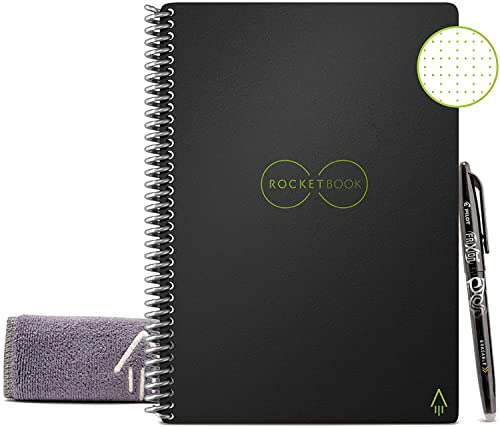
Whether users prefer typing text, sketching diagrams, or adding photos and videos, OneNote accommodates a variety of content formats.
This versatility makes it ideal for users who prefer a more diverse and visually engaging note-taking experience.
Collaboration
Evernote excels in enabling easy sharing of notes and notebooks among individuals and teams.
Users can collaborate in real-time, leave comments, and track changes within shared notes, promoting teamwork and communication.
The sharing settings provide control over who can view and edit notes, ensuring privacy and security for sensitive information.
OneNote offers seamless integration with Microsoft Teams, a popular collaboration platform, allowing users to work together in real-time within a shared digital workspace.
The integration enhances productivity by combining note-taking capabilities with team communication and project management tools.
Users can collaborate effectively on projects, share updates, and discuss ideas within the familiar Microsoft environment.
Conclusion
In the battle of Evernote vs.
OneNote, the choice ultimately depends on your workflow preferences and specific needs.
Evernote shines with its simplicity and powerful note-taking features, making it ideal for individuals who value efficiency and organization.
On the other hand, OneNote’s flexibility, visual appeal, and tight integration with Microsoft applications make it a strong contender for users within the Microsoft ecosystem.
Whether you are a student, professional, or creative thinker, both Evernote and OneNote offer valuable tools to enhance your productivity and creativity.
Consider your priorities in terms of interface design, features, collaboration capabilities, mobile accessibility, and integration with other tools to make an informed decision.
Whichever platform you choose, embracing digital note-taking can revolutionize the way you work, organize information, and bring your ideas to life.
Factors to Consider in Choosing Between Evernote and OneNote
When deciding between Evernote and OneNote, there are several key factors that can influence your choice.
**Interface Design**: Evernote boasts a clean and minimalist interface that focuses on simplicity and ease of use.
Its intuitive layout allows users to quickly jot down notes, create to-do lists, and organize information without any unnecessary clutter.
In contrast, OneNote offers a more visually appealing interface that resembles a digital notebook with tabs and sections.
Users who prefer a more structured layout may find OneNote’s interface more conducive to their note-taking style.
**Features and Functionality**: Evernote excels in its robust note-taking capabilities, such as the ability to clip web articles, search handwritten notes, and set reminders for important tasks.
On the other hand, OneNote stands out for its versatility, offering features like digital inking, audio recordings, and the ability to embed multimedia content directly into your notes.
Depending on your specific needs, you may favor one platform over the other based on the features that are most important to you.
**Collaboration Capabilities**: Both Evernote and OneNote support collaboration among users, allowing teams to share and co-edit notebooks.
Evernote’s collaboration tools enable real-time editing and commenting, making it a valuable tool for group projects or team brainstorming sessions.
Similarly, OneNote’s integration with Microsoft Teams and SharePoint facilitates seamless collaboration within the Microsoft ecosystem, offering a unified platform for teams to work together on projects.
**Mobile Accessibility**: In today’s fast-paced environment, mobile accessibility is a crucial factor to consider when choosing a note-taking app.
Evernote and OneNote provide mobile apps that sync seamlessly with their desktop counterparts, allowing users to access their notes on the go.
Whether you prefer the streamlined mobile experience of Evernote or the full-featured mobile app of OneNote, both platforms ensure that your notes are always at your fingertips, no matter where you are.
**Integration with Other Tools**: Consider how well Evernote and OneNote integrate with the other tools and applications you use regularly.
Evernote offers a wide range of integrations with popular apps like Google Drive, Slack, and Outlook, enhancing its functionality and extending its capabilities.
Meanwhile, OneNote’s deep integration with Microsoft Office suite products, such as Word, Excel, and PowerPoint, provides a seamless workflow for users who rely heavily on Microsoft applications in their daily tasks.