iPad vs Surface Pro: Best for digital artists
Digital artists rely heavily on their tools to unleash their creativity and bring their visions to life.
Among the myriad of devices available, the iPad and the Surface Pro are two popular choices for artists looking to create digital masterpieces.
In this feature, we delve into the debate of ‘iPad vs Surface Pro: Best for digital artists’ to understand the strengths and weaknesses of each device when it comes to catering to the needs of creative professionals.
Importance of Display Quality
One crucial factor that digital artists consider when choosing between the iPad and Surface Pro is display quality.
The iPad boasts a stunning Retina display with excellent color accuracy and a wide color gamut, making it ideal for artists who require precise color reproduction in their work.
On the other hand, the Surface Pro offers a high-resolution PixelSense display that provides crisp and vibrant visuals, enhancing the overall viewing experience for artists.
Stylus and Pen Support
Both the iPad and Surface Pro come equipped with stylus or pen support, which is essential for digital artists to sketch, draw, and annotate their work with precision.
The Apple Pencil for iPad offers exceptional responsiveness and tilt sensitivity, making it a favorite among artists for its natural drawing experience.
Similarly, the Surface Pen for Surface Pro provides pressure sensitivity and customizable buttons for seamless navigation and control, catering to the needs of professional artists.
Software and App Ecosystem
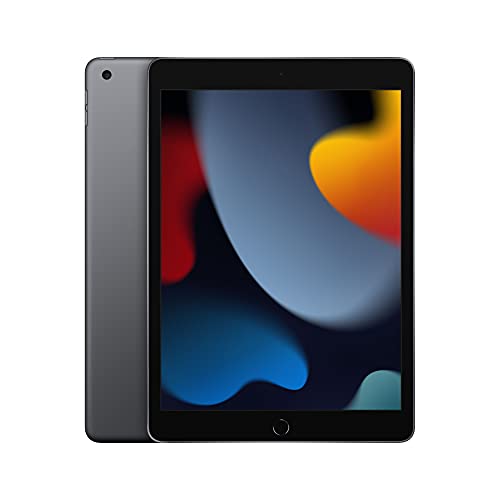
When it comes to software and app availability, the iPad has a robust ecosystem with a wide range of creative apps specifically designed for digital artists.
Procreate, Adobe Fresco, and Affinity Designer are just a few examples of popular apps that leverage the iPad’s capabilities for digital art creation.
On the other hand, the Surface Pro runs on a full-fledged Windows operating system, giving artists access to a wide variety of professional software such as Adobe Creative Suite, Corel Painter, and Clip Studio Paint, expanding their creative possibilities.
Mobility and Versatility
In terms of mobility and versatility, the iPad excels with its lightweight and portable design, making it easy for artists to work on-the-go or in various environments.
The detachable keyboard option for the iPad further enhances its versatility, allowing artists to switch between typing and drawing seamlessly.
In contrast, the Surface Pro offers a convertible form factor, providing the flexibility of using it as a laptop or a tablet, catering to artists who prefer a hybrid device for their creative endeavors.
Introduction
The world of digital art has seen a significant transformation with the evolution of portable devices that offer advanced capabilities for artists on the go.
When it comes to choosing the right tool for digital art creation, the decision often boils down to the iPad and the Surface Pro.
Both devices come with their unique features and functionalities that cater to different aspects of the creative process.
Let’s explore how each device stacks up in terms of performance, design, software compatibility, and overall user experience.
iPad for Digital Art Creation
The iPad has become a game-changer in the field of digital art due to its seamless integration with the Apple Pencil, a stylus designed specifically for artistic endeavors.
Recommended to our readers: Click here
The latest models of the iPad offer ProMotion technology, which provides a fluid and responsive drawing experience with a high refresh rate.
Artists appreciate the iPad’s pressure sensitivity and tilt recognition features, allowing for precise control over brush strokes and shading.
Additionally, the iPad’s Retina display showcases vibrant colors and excellent color accuracy, crucial for artists working on intricate details in their pieces.
Surface Pro for Digital Art Creation
On the other hand, the Surface Pro has gained recognition for its versatility as a hybrid device that functions both as a laptop and a tablet.
The Surface Pen offers 4,096 levels of pressure sensitivity, enabling artists to create artwork with varying line thickness and opacity.
The Surface Pro’s PixelSense display provides a high resolution and natural writing experience, making it a popular choice among digital artists who value a more traditional drawing feel.
With the added advantage of running full desktop software like Adobe Photoshop and Illustrator, the Surface Pro caters to professionals who require advanced creative tools at their disposal.
Performance Comparison
In terms of performance, the iPad is known for its optimized software-hardware integration, resulting in smooth and lag-free operation even when handling complex artistic projects.
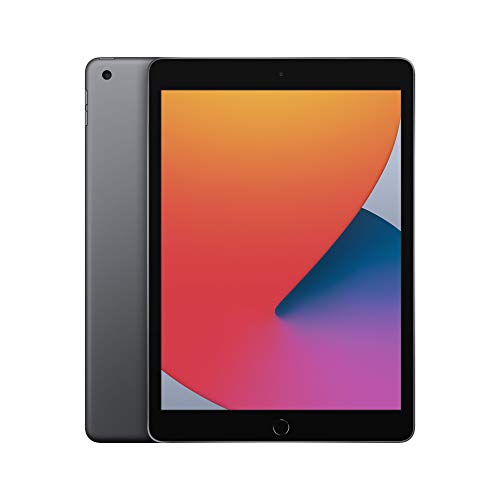
The A-series chips used in iPads deliver impressive processing power, allowing artists to work with large canvases and multiple layers without experiencing slowdowns.
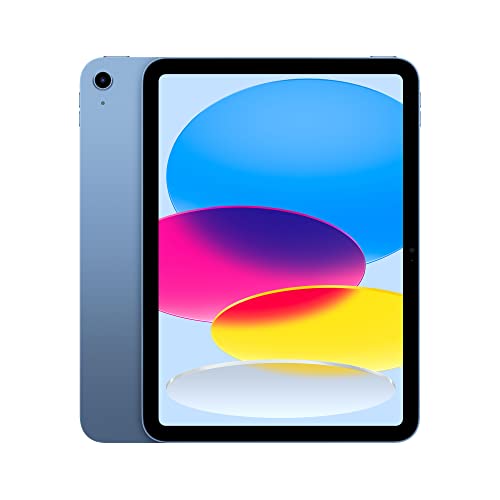
On the other hand, the Surface Pro’s Intel Core processors offer desktop-like performance, making it a robust choice for resource-intensive tasks such as 3D modeling and rendering.
Design and Usability
When it comes to design, the iPad stands out for its slim profile, lightweight build, and intuitive user interface, making it a portable and ergonomic choice for artists on the go.
Recommended to our readers: Click here
The Surface Pro, with its kickstand and detachable keyboard, offers a more flexible setup that can easily transition between laptop and tablet modes.
While the iPad excels in simplicity and ease of use, the Surface Pro appeals to users who require the functionality of a full-fledged computer in addition to a drawing tablet.
Software Compatibility
Both the iPad and Surface Pro support a wide range of digital art applications, including popular painting and design software like Procreate, Clip Studio Paint, and Affinity Designer.
Recommended to our readers: Click here
However, the iPad’s App Store offers a vast selection of art-related apps optimized for touch input
Performance and Processing Power
When it comes to digital art, performance plays a crucial role in ensuring a seamless and efficient workflow.
The iPad, powered by Apple’s custom-designed processors, delivers impressive performance that can handle complex graphic-intensive tasks with ease.
Its smooth functionality, coupled with the Apple Pencil, provides artists with a responsive and accurate drawing experience.
On the other hand, the Surface Pro boasts powerful Intel processors that offer desktop-class performance in a portable form factor.
With the versatility of running full desktop software like Adobe Creative Suite, the Surface Pro provides digital artists with the flexibility to work across a wide range of professional applications seamlessly.
Processing Power Comparison
The iPad is equipped with Apple’s custom-designed processors, such as the A14 Bionic chip.
This processor is known for its high performance and efficiency, enabling tasks like rendering complex artworks, editing high-resolution images, or running multiple graphic design software simultaneously without lag.
The integration of the Apple Pencil further enhances the workflow by offering precise control and pressure sensitivity for intricate detailing.
In contrast, the Surface Pro features powerful Intel processors, such as the Intel Core i7, which provide desktop-level processing power.
This allows digital artists to work on resource-intensive projects with ease, such as 3D modeling, video editing, or rendering large-scale illustrations.
The capability to run full desktop software like Adobe Creative Suite opens up a vast array of tools and features for artists to explore and optimize their creative process.
Graphics Performance and Optimization
Both the iPad and Surface Pro prioritize graphics performance to ensure smooth and detailed visual output for digital artists.
The iPad’s integration with Metal graphics technology enables efficient rendering of complex visual effects, smooth animations, and realistic textures in digital artwork.
Artists can leverage the power of Metal to create stunning illustrations, animations, or designs with a high degree of precision.
Similarly, the Surface Pro utilizes integrated Intel graphics or optional dedicated graphics cards to enhance the rendering capabilities of graphic-intensive applications.
This enables artists to work on projects that demand high-definition visuals, intricate shading, and precise color accuracy.
By optimizing graphics performance, digital artists can achieve professional-grade results in their creative endeavors.
Multitasking and Productivity Features
Both devices offer multitasking capabilities to boost productivity for digital artists.
The iPad’s intuitive multitasking gestures and split-screen functionality allow artists to seamlessly switch between applications, reference materials, or tools without disrupting their workflow.
This feature is particularly beneficial for artists working on illustrations, storyboards, or concept art that require frequent switching between tasks.
On the other hand, the Surface Pro’s versatile operating system, Windows 10, supports multitasking features like virtual desktops, task view, and snap assist.
Artists can organize their workspace efficiently, arrange multiple windows for reference, and streamline their creative process.
The ability to customize workflows and access a wide range of productivity tools enhances the overall efficiency and effectiveness of digital art creation on the Surface Pro.
By focusing on processing power, graphics performance, and multitasking capabilities, both the iPad and Surface Pro cater to the diverse needs of digital artists seeking optimal performance and efficiency in their creative endeavors.

Design and Ergonomics
The design of a device can significantly impact the user’s comfort and efficiency during long creative sessions.
The iPad’s sleek and minimalist design, combined with its lightweight form factor, makes it a portable and stylish choice for artists on the move.
The Apple Pencil’s seamless integration with the iPad further enhances the drawing experience by providing natural and precise input.
In contrast, the Surface Pro comes with a detachable keyboard and a kickstand that allows artists to switch between laptop and tablet mode effortlessly.
The adjustable kickstand offers multiple angles for comfortable drawing and designing, catering to different working preferences and environments.
Customization Options for Artists
Furthermore, both the iPad and Surface Pro offer customization options that cater to the varying needs of artists.
Recommended to our readers: Click here
The iPad allows users to personalize their device with a range of artistic covers and accessories, adding a touch of individuality to their creative workflow.
Artists can choose from a variety of color options and styles to match their unique aesthetic preferences.
On the other hand, the Surface Pro provides artists with the flexibility to customize their workspace through the use of external peripherals such as a mouse, external keyboard, or additional monitors.
This versatility allows artists to create a tailored setup that suits their specific creative requirements, whether they prefer a traditional drawing tablet setup or a more workstation-like environment.
The ability to easily connect and disconnect these peripherals enhances the overall user experience and productivity for artists working on the Surface Pro.
Software Compatibility and Ecosystem
A critical factor for digital artists is the availability of software and apps that support their creative workflow.
The iPad, with its vast App Store library and exclusive apps like Procreate and Affinity Designer, offers a rich ecosystem tailored to digital artists’ needs.
The intuitive interface and optimized apps on the iPad make it a compelling choice for artists seeking a seamless and user-friendly platform.
The Surface Pro, running on Windows OS, provides access to a wide range of professional software applications commonly used in the creative industry.
Artists can leverage the versatility of the Surface Pro to run powerful software like Adobe Photoshop and Illustrator, giving them access to industry-standard tools for their creative projects.
Diverse Software Selection on iPad and Surface Pro
The iPad offers a diverse selection of apps catering to various aspects of digital art creation.
Apart from Procreate and Affinity Designer, artists can explore apps like Adobe Fresco, Concepts, and Clip Studio Paint for a comprehensive range of creative tools.
These apps are continuously updated and optimized for the iPad’s hardware, ensuring smooth performance and enhanced functionality for artists.
On the other hand, the Surface Pro’s compatibility with the Windows OS opens up a wide array of professional software choices.
Artists can utilize industry-standard applications such as Corel Painter, Autodesk SketchBook, and ZBrush on the Surface Pro, providing them with a familiar environment to bring their creative visions to life.
The seamless integration of these software applications with the Surface Pro’s hardware capabilities enables artists to work efficiently and unleash their artistic potential.
Cross-Platform Compatibility and Cloud Services
Both the iPad and Surface Pro support cross-platform compatibility, allowing artists to seamlessly transition their work between different devices.
Cloud services like iCloud for iPad and OneDrive for Surface Pro enable artists to access their projects from anywhere, ensuring continuity and flexibility in their creative workflow.
This functionality is particularly beneficial for artists who prefer working on-the-go or collaborating with other creatives remotely.
Community and Support Networks
The iPad and Surface Pro ecosystems offer vibrant communities and support networks for digital artists.
Artists can engage with like-minded individuals, participate in online forums, and attend virtual workshops to enhance their skills and stay updated on the latest trends in digital artistry.
These communities foster creativity, provide valuable feedback, and offer a sense of belonging to artists, creating a supportive environment for growth and inspiration.
User Experience and Integration
Beyond performance and software compatibility, the overall user experience plays a crucial role in determining the suitability of a device for digital artists.
The iPad’s intuitive interface, coupled with seamless integration between hardware and software, offers a cohesive and user-friendly experience that enhances the creative process.
On the other hand, the Surface Pro’s integration with Windows 10 provides artists with a familiar desktop environment that allows for seamless file management and multitasking.
The ability to switch between tablet and laptop mode seamlessly adds to the Surface Pro’s versatility, catering to artists who require a dynamic workflow.
Design and Interface
Recommended to our readers: Click here
The design and interface of a device contribute significantly to the user experience for digital artists.
The iPad’s sleek and minimalist design, along with its touch-screen interface, offers a modern and intuitive platform for creative work.
Artists can easily navigate through menus, access tools, and interact with their work using gestures like pinch-to-zoom and swipe.
In contrast, the Surface Pro’s design resembles a traditional laptop with a detachable keyboard and kickstand, providing a more familiar form factor for artists accustomed to working on desktops or laptops.
The Windows 10 interface offers customizable tiles, taskbars, and a robust Start menu, allowing artists to personalize their workspace and access their favorite apps with ease.
Recommended to our readers: Click here
Integration with Creative Software
Smooth integration between the hardware and creative software is crucial for digital artists to work efficiently.
The iPad’s ecosystem seamlessly integrates with popular art apps like Procreate and Adobe Fresco, offering optimized performance and responsiveness for tasks like drawing, painting, and graphic design.
The Apple Pencil complements the iPad’s touch interface, providing precise input and pressure sensitivity for detailed work.
On the other hand, the Surface Pro’s compatibility with full desktop applications like Adobe Creative Cloud and Autodesk Sketchbook gives artists access to a wide range of professional tools and features.
The Surface Pen offers tilt support and customizable buttons for a more tailored experience, making it a versatile tool for sketching, note-taking, and editing artwork.
Workflow Flexibility
The flexibility of a device in adapting to different workflows is essential for digital artists with diverse creative needs.
The iPad’s seamless transition between apps, split-screen multitasking, and drag-and-drop functionality enhance workflow efficiency.
Artists can easily switch between drawing, referencing, and exporting work without interruptions.
Conversely, the Surface Pro’s ability to transform from a tablet to a laptop with the attachable keyboard provides artists with flexibility in how they approach their tasks.
The transition between tablet mode for drawing on the go and laptop mode for detailed editing or typing offers a versatile workflow that adapts to different working environments and preferences.
Pros and Cons
| Device | Pros | Cons |
|---|---|---|
| iPad | Responsive performance Intuitive user experience Rich app ecosystem |
Limitations in desktop software support Restrictions in file management |
| Surface Pro | Powerful desktop-class performance Versatile form factor Full software compatibility |
Less intuitive interface Heavier than the iPad |
iPad
While the iPad offers responsive performance and an intuitive user experience, it does have some limitations, particularly in terms of desktop software support.
For users who rely heavily on specific desktop applications for work or productivity, the iPad may not be the ideal choice due to these limitations.
Additionally, restrictions in file management on the iPad can sometimes be frustrating for users who need more flexibility in organizing and accessing their files.
One example of a limitation in desktop software support on the iPad is the lack of full-fledged Adobe Creative Suite applications.
While there are alternatives and lighter versions available, users who require the full suite of Adobe software may find the iPad lacking in this aspect.
As for file management restrictions, iOS’s closed ecosystem can sometimes make it challenging to seamlessly manage files across different applications or storage locations.
Surface Pro
The Surface Pro, on the other hand, boasts powerful desktop-class performance and full software compatibility, making it a strong contender for users who need a device that can function as a laptop replacement.
With the ability to run full versions of desktop applications like Microsoft Office, Adobe Creative Suite, and more, the Surface Pro offers a seamless transition for users moving from a traditional computer to a hybrid device.
However, the Surface Pro’s less intuitive interface compared to the iPad may pose a learning curve for some users.
While Windows 10 provides a familiar environment for those accustomed to desktop computing, the touchscreen-centric design may take some getting used to for users coming from the iPad or other tablet devices.
Additionally, the Surface Pro’s slightly heavier weight compared to the iPad may impact portability and long-term usage, especially for users who prioritize lightweight and compact devices.

Conclusion
In the perennial debate of ‘iPad vs Surface Pro: Best for digital artists,’ both devices offer unique advantages that cater to the diverse needs of digital artists.
The iPad excels in its responsive performance, intuitive user experience, and rich app ecosystem, making it a compelling choice for artists seeking a portable and user-friendly device.
On the other hand, the Surface Pro stands out with its powerful desktop-class performance, versatile form factor, and full software compatibility, providing digital artists with the flexibility to work across a wide range of professional applications seamlessly.
Ultimately, the choice between the iPad and the Surface Pro comes down to individual preferences, workflow requirements, and creative priorities.
Whether it’s the seamless integration of hardware and software on the iPad or the versatility of running full desktop software on the Surface Pro, digital artists have a range of options to choose from based on their unique creative needs and preferences.
Factors to Consider
When deciding between the iPad and the Surface Pro for digital artistry, several factors should be taken into account.
One crucial consideration is the type of creative projects an artist typically works on.
For instance, if a digital artist primarily focuses on illustrations and graphic design, they may find the iPad’s precise stylus and robust art apps more suitable.
On the other hand, artists dealing with complex 3D rendering or video editing might lean towards the Surface Pro for its more powerful processing capabilities and compatibility with professional software like Adobe Creative Suite.
Workflow Optimization
Another aspect to ponder is how each device integrates into an artist’s workflow.
The iPad’s seamless connection between hardware and software, exemplified by the Apple Pencil and optimized apps like Procreate, can streamline the creative process and enhance productivity.
Conversely, the Surface Pro’s ability to run full desktop applications opens up possibilities for artists who rely heavily on industry-standard software and require advanced features such as layer editing or advanced filters.
Portability vs. Performance
Portability versus performance is a perennial debate in the realm of digital artistry.
The iPad’s lightweight design and long battery life make it an appealing choice for artists who value mobility and often work on-the-go.
In contrast, the Surface Pro’s desktop-class performance and flexibility to switch between laptop and tablet mode cater to artists who prioritize power and versatility in their creative endeavors.
Ecosystem and Support
Beyond the devices themselves, artists should also consider the broader ecosystem and support network associated with each platform.
Apple’s robust ecosystem of accessories, tutorials, and user communities provides a holistic environment for digital artists to thrive and seek guidance.
In comparison, Microsoft’s Surface lineup benefits from seamless integration with Windows OS and Microsoft Office suite, offering a familiar environment for artists accustomed to PC workflows.
Creative Freedom
Ultimately, the choice between the iPad and Surface Pro boils down to the level of creative freedom and expression each device enables.
While the iPad offers a more intuitive and user-friendly experience, the Surface Pro empowers artists with desktop-level performance and compatibility.
By aligning their unique creative needs and preferences with the strengths of each device, digital artists can make an informed decision that enhances their artistic endeavors and pushes the boundaries of their creativity.