Title: iPad Air vs iPad Pro: The Ultimate Showdown for Students
Around the world, schools and universities are moving towards integrating technology into their learning environments.
Among the devices leading this revolution are Apple’s iPads, revered for their seamless interface and high-quality functionalities.
But as a student, with budget constraints and specific requirements for academic tasks, which iPad version comes out on top – Air or Pro?
This deep dive will unpack this tech dilemma, comparing the usability, cost, performance, and added extras to help you make an informed choice.
Usability: Balancing Portability and Functionality
Start with the iPad Air.
This Apple device’s forte is its portability.
Light as a feather and slim as a reed, the Air fits effortlessly into any backpack, making it an ideal companion for commuting students.
As someone who shuffles between classes, the allure of being able to whip out my iPad Air for quick notetaking or a reference search on Safari was irresistible.
In contrast, although the iPad Pro is still relatively light, there is a noticeable difference in weight and size.
Utilizing the iPad Air for Convenience and Comfort
The iPad Air boasts an impressive weight of just a pound, and with a width less than a centimeter at 0.63cm (0.24 inch), it’s no wonder this device easily earned its ‘Air’ moniker.
The lightweight nature of the iPad Air resolves a common problem faced by students and professionals alike – carrying around heavy, cumbersome tech devices.
The iPad Air is not just light, it’s also a compact powerhouse, ticking all the boxes for those in need of functionality on the go.
It’s small enough to transport between classes, meetings, or even different cities or countries, but it also harbors the ability to perform tasks ranging from web surfing to video editing.
The iPad Air: A Commuter’s Best Friend
The iPad Air’s design is not just limited to its sleek and slim features, but also extends to its durability.
Built with a strong aluminum body and a crack-resistant glass screen, it can easily withstand the rigors of daily commuting.
When securely placed in a backpack, it is protected against typical commuting issues like accidental drops or bumps.
This resilience, coupled with its portability, makes the iPad Air a commuting student’s or traveler’s best friend.
Powering Your Education and Profession: Functionality of iPad Air
Apart from being ultra-portable, the iPad Air doesn’t skimp on power and productivity features either.
In fact, it harnesses the energy-efficient A14 Bionic chip, which comes with capabilities such as machine learning accelerators.
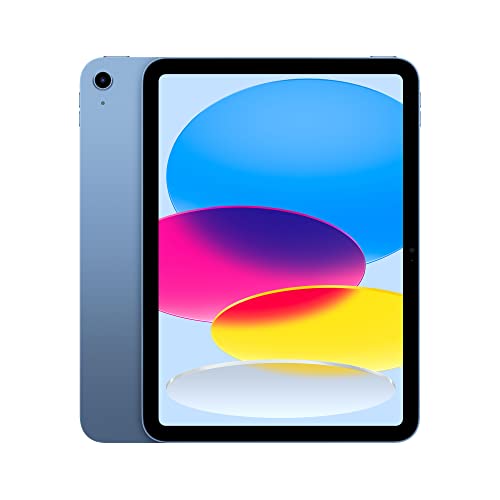
This enables users to access academic and professional apps smoothly, take down notes, create presentations, or edit documents with ease.
The option to use Apple Pencil furthers productivity, taking notetaking and creativity to new heights.
Comparing the iPad Air and the iPad Pro
Recommended to our readers: Click here
Despite the iPad Pro also being a lightweight device, its larger size and additional features give it a clear noticeable difference in weight.
The Pro version weighs more than the iPad Air, coming in at 1.42 pounds.
This could create some inconvenience for users who prioritize portability over features and power.
As the iPad Pro is larger, it requires a bigger bag for transportation and may add that extra strain during the daily commute or travel.
Thus, while the iPad Pro might excel in terms of advanced features and a larger display, the iPad Air emerges as the champion for those who value comfort and ease of mobility.
Pro Tip
 Here, a visual representation of the differences between the iPad Air and Pro.
It’s not only about size, though.
When assessing usability, screen quality becomes, well, a massive factor.
The iPad Pro steals the show here with the Liquid Retina XDR display, offering more vibrant colours and sharper images.
This superior screen quality makes prolonged reading easier on the eyes – a significant benefit for students who spend hours poring over PDFs or eBooks.
Detailed Differences in Visual Quality
One of the key considerations when comparing the iPad Air and Pro, beyond the physical dimensions, is the overall visual quality of the device.
The quality of a tablet’s screen is a game-changer – it’s not only about how big the screen is, but also, how clear, vivid, and life-like the images it displays are.
In these terms, the iPad Pro trumps the iPad Air.
It features Apple’s latest Liquid Retina XDR display technology.
What this technology does is it delivers true-to-life colours with a billion shades of perfect brilliance, and an exceptional level of clarity and sharpness that results in images that practically pop out of the screen.
How Superior Screen Quality Affects Usability
Recommended to our readers: Click here
A user might ask why screen quality matters to the extent that it can be a deciding factor.
Well, it’s simple.
Superior screen quality immensely enhances a user’s interaction with the device, especially when it comes to activities like reading, designing, or even watching videos.
For instance, students who spend hours continuously studying from PDFs or eBooks would find that the iPad Pro, with its Liquid Retina XDR display, reduces eye strain significantly compared to the iPad Air.
This can contribute to an increased level of comfort during long study sessions, reducing the risk of headaches and improving overall productivity.
Relevant Real-World Usage Scenarios
To provide a more concrete understanding, imagine a graphic designer working on detailed visual elements.
Using the iPad Pro with its superior screen quality would make the job smoother, allowing for a more accurate color pairing for their designs.
It simply makes their work more efficient and precise.
Similarly, for movie enthusiasts, the superior screen on the iPad Pro would mean more immersive movie experiences right at their fingertips.
Recommended to our readers: Click here
Colours will look truer to life, and the details in the picture will be sharper and clearer, contributing to a heightened viewing experience.
So, what we see here is that the superior screen quality has the potential to revolutionize user experience across a plethora of real-world scenarios.
It’s not just about the look and feel but also about the enhanced functionality and usability it brings – a clear testament to why the iPad Pro emerges as a champion in this comparison.
Performance: Power for Learning
Delving into performance, the Pro, as its name suggests, is undeniably the powerful beast.
The iPad Pro uses Apple’s M1 chip, the same chip that powers some Mac computers, ensuring speedy multitasking and efficient processing for demanding applications like video editing or 3D rendering.
However, I found the iPad Air’s A14 Bionic chip more than sufficient for common academic tasks which include notetaking, browsing, or using demanding apps such as GoodNotes or Photoshop.
Analyzing the M1 Chip’s Contribution to Performance
While the iPad Pro is certainly a formidable device in terms of performance, it’s crucial to understand the role that Apple’s M1 chip plays in its extraordinary capabilities.
The M1 chip is Apple’s first self-designed System on a Chip (SoC), and it’s a powerhouse of technology.
Developed to handle heavy-duty tasks smoothly, it ensures that the iPad Pro can manage demanding applications like video editing and 3D rendering effortlessly.
For instance, while editing a 4K video, one might typically expect some lag or delay on other devices.
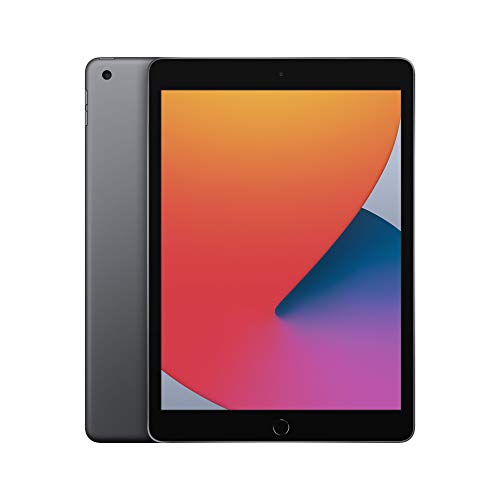
However, on an iPad Pro with the M1 chip, these files are handled seamlessly, with the editing process being swift and uninterrupted, making it a valuable tool for professional videographers.
Similarly, when engaging in 3D rendering tasks, the M1 chip’s eight-core CPU and eight-core GPU work together to provide unparalleled performance in rendering complex 3D models with minimal wait time, an ideal capability for architects, animators, and graphic designers.
Comparing the A14 Bionic Chip for Academic Tasks
The A14 Bionic chip in the iPad Air, while not as powerful as the M1 chip, still provides sufficient processing power for common academic tasks.
It can handle tasks like notetaking, web browsing, and even demanding apps such as GoodNotes or Photoshop efficiently.
For instance, simultaneous note-taking and browsing for research data is a common multitasking scenario for students.
Performance dips or application crashes can be a major inconvenience.
However, the A14 chip in the iPad Air can handle these tasks without difficulty, ensuring smooth performance even when running multiple demanding applications simultaneously.
Even for heavy software like Photoshop, despite being a comprehensive graphics editor, it runs fluidly on the iPad Air thanks to the A14 Bionic chip.
Photos can be tweaked and edited with multiple layers without causing any performance issues, ensuring creative students can explore their digital skills to the fullest.
Conclusion: Which Chip Suits You Best?
In conclusion, while both the M1 and A14 Bionic chip have their distinctive strengths, your choice ultimately depends on your specific needs.
If you’re in a profession that demands rigorous video editing or 3D rendering capabilities, the iPad Pro with the M1 chip would be the smart choice.
On the other hand, for academic purposes, the iPad Air with the A14 Bionic chip provides an economically efficient solution while
Cost: Balancing the Budget
Let’s talk about the elephant in the room – cost.
As a student, budget allocation is key and sometimes, a deal-breaker.
Here, the iPad Air wins hands down, offering almost a $200 saving over the Pro.
For most of us, an economically smart choice is often as vital as the device’s capabilities.
Discussing the Financial Burden

Comprehending the financial burdens that accompany an education is crucial.
It’s not just tuition fees we’re talking about; owning a top-of-the-range tech gadget like an iPad can also be quite an expense.
Students usually have limited income from part-time jobs or allowances, limiting their spending power.
Necessities such as rent, food, course materials, and transportation often take up a large portion of their budget.
This financial pressure can make purchasing a device like the iPad Pro feel like an unattainable luxury.
The Price Difference: iPad Air vs. iPad Pro
The price difference between the iPad Air and the iPad Pro is significant, around $200.
That might not sound like much to those who are financially stable, but, for a student, this can be a sizable chunk of their monthly income.
It equates to textbooks for a class, afford a month’s groceries, or even cover certain bills.
The Paradox of Choice: Cost vs Capabilities
The tricky part comes when we talk about cost vs capabilities.
Both the iPad Air and the iPad Pro have unique features that suit students’ needs.
The iPad Pro, touted as the more professional device of the two, boasts additional features like a smaller bezel, ProMotion technology (120Hz refresh rate), and Face ID authentication, which the Air lacks.
However, the key is to identify what’s necessary for your academic journey and what’s not.
Making Economically Smart Decisions
An economically smart decision is not necessarily about buying the cheapest device available but getting the most value out of the amount you’re willing and able to spend.
For example, if a student predominantly needs an iPad for note-taking, web browsing, and streaming movies, the iPad Air gets the job done despite having fewer features than the iPad Pro.
The Economically Smart Choice: iPad Air
The iPad Air offers fantastic value for the price.
It has a powerful A14 Bionic chip (the same chip that powers the iPhone 12), a stunning 10.9-inch retina display, and excellent battery life.
With savings of nearly $200 over the iPad Pro, it’s a choice that’s friendly to student budgets without significantly compromising on performance and functionality.
Understanding your financial constraints and prioritizing your needs over wants plays a crucial role in dealing with cost-related issues.
At the end of the day, the key to balancing the budget lies not only in making cost-effective choices but also
Extras: To Pencil or Not to Pencil
However, you can’t ignore the added extras.
The iPad Pro supports the 2nd Gen Apple Pencil, a smoother stylus that charges wirelessly and attaches magnetically.
Having used both, I found the 2nd Gen Pencil provided more precise note-taking and sketching, invaluable in subjects like design or physics where diagrams are key.
But again, this comes at a cost – the 2nd Gen Pencil is approximately $30 more expensive.
Decoding the 2nd Gen Apple Pencil: A Noteworthy Upgrade
There’s much to discuss when it comes to the added extras of the iPad Pro with its second-generation Apple Pencil.
Packing an array of user-friendly features, it takes the make or break tool for the iPad Pro to new heights, underpinning the tablet’s potential as an unmatched professional tool.
Unlike its predecessor, the 2nd Gen Pencil charges wirelessly.
No longer do users have to deal with the somewhat awkward setup of charging through the Lightning connector, a much-criticized aspect of the 1st Gen device.
The latest pencil snugly attaches itself to the side of the iPad Pro, magnetically securing, and at the same time, charging itself.
This seamless integration reduces clutter and ensures your Apple Pencil is always at the ready.
Recommended to our readers: Click here
From Note-Taking to Creative Sketching – A Tool Assured In Precision
Further enhancing the value proposition is the 2nd Gen Pencil’s improved precision in note-taking and sketching.
This aspect may seem minor for some, but for those who utilize their devices in fields requiring comprehensive note-taking or artistic sketches such as designers, architects, or physicists, this is a pivotal upgrade.
Increased precision means users can take notes more efficiently during fast-paced lectures or meetings.
Similarly, intricate sketching becomes more effortless, making it an invaluable asset for designers working on detailed storyboard sketches or architects drawing up plans.
Cost Considerations – Is the Upgrade Worth It?
Recommended to our readers: Click here
An important point to note is that with superior features and a better usage experience comes a higher price tag.
The jump from 1st Gen to 2nd Gen sees an increment of about $30.
Given the numerous improvements and the hassle-free experience it offers, for many users, this price bump might be justifiable.
However, for those on tighter budgets, or those who do not intend to heavily utilize the noted precision enhancements, it may be worthwhile to do a cost-benefit analysis.
It’s important to think about your individual usage and whether the additional utility derived from the 2nd Gen Pencil justifies the added expense.
In conclusion, the iPad Pro’s support for the 2nd Gen Apple Pencil indeed brings numerous enhancements to the table, tailor-made for professionals and creatives.
However, whether to upgrade or not depends on personal usage and value assessment.
Pros and Cons
Before we tie it all together, let’s look at a summary of the main pros and cons of each device.
| iPad Model | Pros | Cons |
|---|---|---|
| iPad Air | More affordable, Lightweight and portable, Sufficient performance for usual academic tasks | Inferior screen and drawing experiences, Supports only 1st Gen Pencil |
| iPad Pro | Superior screen and drawing experiences, Higher performance, Supports 2nd Gen Pencil | More expensive, Slightly heavier and larger |

iPad Air: The Featherweight Contender
The iPad Air stands as Apple’s middle ground, bridging the gap between the standard iPad and the more robust iPad Pro.
What makes the iPad Air an attractive option is its affordability.
It packs in a solid performance at a price point that’s more accessible than its Pro counterpart.
For students or professionals who are looking to carry out common academic or administrative tasks, the iPad Air offers more than sufficient processing power.
Meanwhile, the iPad Air excels in portability.
Its lightweight, slim build makes it easy to carry around in a backpack or even smaller bags.
This convenience is ideal for those often on the go or those who wish to work or study from different locales, such as cafes or libraries.
However, to keep the iPad Air affordable, certain compromises have been made.
One of the key disadvantages is the inferior screen and drawing experience.
The iPad Air supports only the 1st Generation Apple Pencil, and the screen doesn’t match up to the Pro model’s impressive colour range and refresh rate.
This might not be a deal-breaker for those mainly using the iPad for browsing or typing, but it does hinder more creative endeavours such as digital drawing or graphic design.
iPad Pro: The Premium Powerhouse
On the other hand, the iPad Pro targets the higher end of the market, designed with power users in mind.
One of its standout features is its superior screen and drawing experience.
With a ProMotion display that offers a 120Hz refresh rate and a wider colour gamut, visual tasks such as photo editing, designing, or even heavy video streaming shine bright on the iPad Pro.
Also, the iPad Pro supports the 2nd Generation Apple Pencil, which boasts better sensitivity and more features than its predecessor, making it an excellent tool for artists or designers.
The iPad Pro also packs in fast, high-performance hardware that can handle heavy tasks smoothly that the iPad Air might struggle with, such as running advanced applications or multi-tasking with several apps at once.
However, all these premium specs come with a steeper price tag.
The iPad Pro is considerably more expensive than the iPad Air, which can put it out of reach for those on a tighter budget.
Furthermore, its larger size and heavier weight, though offering a more spacious screen, might be an inconvenience for users who prioritize portability above all else.
High performance often comes with additional weight and size, making the iPad Pro less appealing for those seeking a device
Conclusion: Making the Grade
So, what’s the verdict in this iPad stand-off?
Well, it depends on you.
The iPad Pro, with its impressive display and powerful processor, is a first-rate choice for those whose academic needs revolve around high-end tasks or who simply don’t mind splurging for the best experience.
Recommended to our readers: Click here
But again, for most students embarking on general academic tasks, the iPad Air, with its commendable performance and economical pricing, is more than capable.
The decision ultimately comes down to which factors you prioritize – the ultimate balance between usability, performance, cost, and ‘those little extras’.
The key takeaway here?
Both iPads can make the grade – it’s simply about deciding which meets your unique academic needs best.
Expanded Insights into iPad Pro and iPad Air’s Specifications
Both the iPad Pro and the iPad Air come with unique specifications that make them suitable for different contexts.
For instance, the iPad Pro, with its Liquid Retina XDR mini-LED backlit display, takes the cake in terms of display quality.
Whether you are preparing for an Art History presentation where color precision is key or dabbling in architectural modeling, this device offers a superior visual experience.
In addition, the iPad Pro’s M1 chip ensures a powerful processing capacity that can handle heavy-duty applications such as Final Cut Pro or Adobe Photoshop with remarkable ease.
On the other hand, the iPad Air isn’t falling far behind in terms of performance.
While it may not boast the same processor as the iPad Pro, its A14 Bionic chip, which also powers the iPhone 12, is more than capable of managing daily classwork and assignments.
Its price point, significantly lower than the Pro’s, also makes it a more cost-effective choice.
Scrutinizing the Cost-to-Value Proposition
Let’s delve deeper into the cost-to-value of these iPads.
Although investing in an iPad Pro might initially seem like a daunting expenditure, if the ultimate goal is to have a device that can facilitate high-end tasks as well as double up as a media consumption device, the money may well be worth it.
Plus, as with any Apple product, we can’t ignore the superior build quality, legacy support, and promise of longevity.
Conversely, the iPad Air presents a more balanced proposal.
It’s reasonably priced while still providing impressive performance, especially for its cost bracket.
You’ll find that this iPad is capable of handling a wide range of academic tasks with ease.
Navigating the ‘Little Extras’
As for the ‘little extras’, it’s worth mentioning the difference in capabilities when it comes to Apple Pencil compatibility.
The iPad Pro supports Apple’s second-generation Pencil, which offers more advanced features, such as gesture controls and wireless charging.
Meanwhile, the iPad Air is only compatible with the first-generation Pencil.
Although it still offers excellent note-taking and drawing capabilities, it lacks these elevated features.
Also, the iPad Pro has a superior speaker system compared to the iPad Air, opening up superior media consumption experiences for students during downtime.
In conclusion, while both iPads are equipped with many promising features, it is the finer details and personal preferences that will sway your decision.
The iPad Pro,