Introduction – The Modern Business User’s Conundrum
As the lines continue to blur between portability and power in technology, two behemoths decidedly stand out – Apple’s iPad Pro and Microsoft’s Surface.
Both devices are designed with the intent to simplify life, boost productivity, and cater to the diverse needs of business users.
But when it comes down to choosing between the two, which one has what it takes to rule the roost within a business ecosystem?
Apple vs Microsoft: Powerhouses in the Tech Industry

Apple and Microsoft have long been known as the two major powerhouses within the technology industry, both coming forward with groundbreaking devices, solutions and services that revolutionize the way businesses operate.
Over the years, the constant advancement in technology has seen the marriage of power and portability, a desirable combination that the modern business user highly seeks.
The Role of iPad Pro and Surface in Business Technology
The iPad Pro and Surface, Apple and Microsoft’s respectively premier devices, have been extremely influential in fulfilling this demand.
They were engineered to enhance the convenience of conducting business on-the-go maintaining high performance.
Therefore, they are not merely tablets or laptops but versatile hybrids, a league of their own.
Point of Differentiation: The Design Philosophy
Apple’s iPad Pro and Microsoft’s Surface differ in design philosophy, offering unique features suited to various business scenarios.
For example, Apple’s iPad Pro, with its sleek design and user-friendly interface, is perfectly suited for creative professionals who value an intuitive interface.
On the other hand, Microsoft’s Surface, with its robust and seamless integration with Windows ecosystem, is a great fit for businesses that rely heavily on collaboration and seamless transition between different software tools.
The Battle: iPad Pro vs Microsoft Surface
Despite their different approaches, the iPad Pro and Surface continue to compete head-on in the business tech landscape.
They both cater to a wide range of business needs from creating presentations, doing online research, engaging in video conferences, to complex tasks like coding, designing, and editing.
But when it comes to choosing one over the other, it can be a challenging decision as both devices come with their own advantages and drawbacks.
The key to navigating this tech conundrum lies in understanding your specific business needs and prioritizing what best suits them—be it the design-centric approach of the iPad Pro or the all-rounded functionality of Microsoft’s Surface.
The Decision: Your Business Needs First
Ultimately, the decision between an iPad Pro or a Surface should not solely rely on the brand name or popularity, but primarily on the device’s ability to cater to the unique demands of business operations and individual role requisites.
The modern business ecosystem calls for versatile technological tools, and selecting the right device can significantly impact productivity, workflow, and overall business growth.
It is this varied use and the extent to which either of these devices can fulfill it, that dictates who rules the roost in the realm of business technology.
Spec-Based Showdown Between the iPad Pro and Microsoft Surface
The iPad Pro, powered by the nimble M1 chip, boasts a liquid retina XDR display for breathtaking visuals and has up to 2TB of storage.
It runs on the latest iOS version, with consistently smooth, quicker updates.
Conversely, the Microsoft Surface sports a vivid PixelSense Display, is equipped with up to 1TB of storage, and runs on the robust Windows 10, supporting familiar legacy software.

Business-oriented features such as email, calendar, tasks, spreadsheets, and cloud storage functionality are catered to by both devices seamlessly.
But the decision to choose between them often depends on specific business needs and existing IT infrastructures.
Powerful Performance: The Engines Behind the Operation
While both the iPad Pro and Microsoft Surface are famous for their high-speed output and efficient business applications, the respective engines behind them deserve a moment in the spotlight.
The iPad Pro is powered by Apple’s groundbreaking M1 chip, which offers up to 50% faster CPU performance.
Built with 8-core CPU and 8-core GPU, it ensures not just fast but smooth running of applications, from business tools to high-definition games and professional creative software.
On the other side, Microsoft Surface relies on various processor types, from the Intel core family to custom Microsoft SQ chips used in the Surface Pro X series.
They are highly efficient and provide options to customize the choice of processors based on specific users’ needs.
The impressive performance of both devices is a testament to the power of these processors.
Intricate Display Technology: A Feast for the Eyes
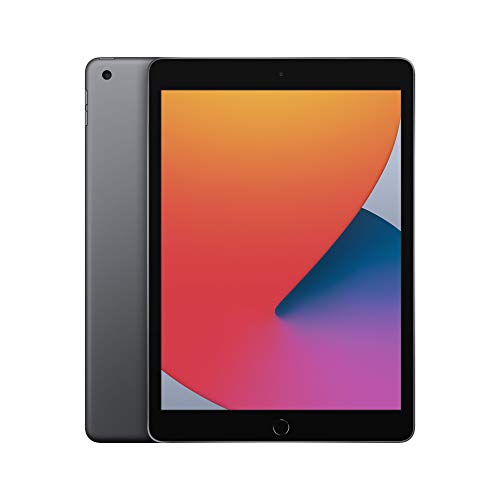
Where visuals are concerned, Apple has equipped the iPad Pro with the exquisite Liquid Retina XDR display.
This screen technology features extremely high pixel density, a wide color gamut, and ProMotion technology for smooth animations.
These attributes combine to provide super high resolution with crisp and clear images, making it perfect for high-resolution image editing, 3D design rendering, or even just watching movies.
In comparison, the Microsoft Surface is designed with a striking PixelSense Display.
This display technology offers high contrast, low glare, and surprisingly vibrant images, ideal for long working hours.
The touchscreen aspect adds even more versatility, whether you’re marking up a report or sketching out a new design.
System Updates and Software Compatibility
The iPad Pro and Microsoft Surface also have different operating systems, meaning they handle software and updates in varying ways.
The iPad Pro runs on the latest iOS, renowned for its seamless updates, keeping the system fresh with new features and security fixes; it happens almost in real-time.
Microsoft Surface, meanwhile, runs on the robust Windows 10, which, while not having the same level of regular, seamless updates as iOS, prides itself on legacy software compatibility.
This means businesses with existing software investments can easily transition to Surface without needing to repurchase or redesign their software.
Catering to Business Needs: Email, Calendar, Tasks, and Beyond!
Both the iPad Pro and Microsoft Surface excel in terms of productivity-boosting features like email, calendar and task management, and cloud storage functionality.
Devices’ operating systems have their own suite of business applications:
Pros and Cons – A Comparative Analysis
The Dynamics of Pro-Con Analysis
The pros and cons analysis is a quintessential strategy used to evaluate and decide on potential actions, directions or choices in various scenarios.
This analytical tool effectively facilitates the cushioning of the impact of potential negative outcomes by understanding and preparing for them in advance.
Importance of Comparative Analysis
The use of comparative analysis is not only vital in decision making but also significantly beneficial in understanding both the perceived and actual value of options.
It helps us more clearly distinguish and appreciate the distinguishing factors between different options that are seemingly similar on the surface.
Without comparative analysis, decision-making – whether in personal life or professional spheres – could often trend towards ambiguity and facing uncertainties unnecessarily.
The Implication of Pros
The favorable aspects or ‘pros’ of any action or decision are an essential part of the analysis.
They highlight the benefits that can be gained by selecting a particular option.
For instance, in a business setting, a pro of introducing a new product might be gaining a competitive advantage in the market, higher profit margins, boosting company reputation, or even potential expansion and growth opportunities.
On a personal level, the pros of a decision can range from psychological benefits like happiness and satisfaction to tangible benefits such as financial gain or improved health.
The Influence of Cons
On the flip side, the cons or the possible adverse outcomes of a decision, action, or selection are equally important.
It’s crucial to consider the potential drawbacks as they provide a holistic view of the situation.
This in-depth understanding can help to prevent future problems.
For instance, in our business scenario, a potential con could be the substantial financial investment needed to launch a new product, which might not yield an immediate return on investment.
Errors in judgment could lead to financial loss, a decrease in market reputation, or wasted resources.
Similarly, on a personal level, a decision can have cons like potential health risks, financial loss, or strains in relationships.
Beyond Binary Perspectives – Probable vs Possible
While pros and cons analysis can simplify decision-making by breaking down the complexities into understandable segments, it’s essential to look beyond binary perspectives.
Sometimes, the pros and cons are not equally probable.
For instance, a business decision might have a single con, say a financial risk.
Still, if potential loss significantly outweighs the profit, it would be reckless to pursue it, no matter how many other pros exist.
Conversely, an option might have several possible cons, but if they are highly unlikely to occur,
Pros of iPad Pro
The iPad Pro offers a blend of speed, power, and fluidity.
When paired with the Magic Keyboard and Apple Pencil, it becomes a multifaceted tool for business users.
Apps like Keynote, Numbers, and Pages, along with a suite of creative and productivity apps available on the App Store, cater to diverse business needs.
Unmatched Speed and Power
The iPad Pro stands out with its unparalleled speed and power, made possible by Apple’s advanced A12Z Bionic chip with Neural Engine.
This powerful chip allows the device to handle computationally intensive tasks such as 4K video editing, 3D design, and augmented reality seamlessly.
Moreover, the 120Hz ProMotion technology coupled with Apple’s tuned software ensures a smooth and responsive user interface that makes multitasking feel fluid and intuitive.
Enhancing Functionality with the Magic Keyboard and Apple Pencil
Considering the versatility of the iPad Pro, the Magic Keyboard and Apple Pencil further amplify its features for the business user.
The Magic Keyboard features a backlit, full size keyboard and a trackpad, providing the convenience of a laptop with the portability of a tablet.
The solid keyboard also offers an enjoyable typing experience, apt for intensive writing tasks and responding to emails.
The Apple Pencil, on the other hand, offers precision and flexibility.
It becomes an invaluable tool for note-taking during meetings, annotating documents, or brainstorming ideas on a digital canvas.
Moreover, with latency as low as 9ms, writing or drawing on the iPad Pro feels almost identical to using a traditional pen and paper.
Customized Apps for Business Needs
The iPad Pro’s impressive functionality is further extended with the assortment of business-focused apps available on the App Store.
Keynote, Numbers, and Pages are Apple’s counterparts to Microsoft’s Powerpoint, Excel, and Word respectively.
These are designed with a sleek and intuitive interface that takes advantage of touch, pen, and keyboard inputs.
Aside from these, an array of other productivity apps like Trello, Asana, and Slack cater to project management and team collaboration.
There are also specialized apps such as Procreate for graphic design, GarageBand for music creation, and Final Cut Pro for video editing, rendering the iPad Pro a valuable tool for a wide range of professional domains.
To sum up, the iPad Pro, with its potent capabilities and robust versatility, is a formidable device for business users.
Its power and speed, magnified by the functionality of the Magic Keyboard and Apple Pencil, and reinforced by a myriad of business-centric apps, make it a strong contender against traditional laptops and desktop computers in the corporate environment.
Pros of Microsoft Surface
For those dependent on Windows-based environments, the Microsoft Surface provides a comfortable transition.
It works well with Office 365 and other Windows-centric applications, truly standing out as a fully-fledged replacement for traditional laptops.
Surface Pen and Surface Type Cover transform Surface into an impeccable, hand-held office.
Enhanced Compatibility with Windows-Based Environments
The Microsoft Surface is designed to be fully compatible with Windows-based environments, making it the ideal choice for users who depend heavily on Windows applications for their day-to-day tasks.
This compatibility is exhibited in its seamless interaction with Office 365, including Word, Excel, PowerPoint, and Outlook.
The familiar interface can help to significantly reduce the learning curve that is often associated with the introduction of new devices or technology.
The Perfect Laptop Replacement
Prospective buyers often contend with the conundrum of tablet versus laptop, but the Microsoft Surface renders this distinction redundant.
It is more than just a tablet – it is a powerful machine that can perform all the tasks of a traditional laptop.
From editing documents to creating complex spreadsheets and delivering visual presentations, Surface handles these tasks smoothly.
Coupled with its portable design, this performance aspect positions it as a strong contender in the market for those seeking lighter yet powerful alternatives to traditional laptops.
Surface Pen: A New Age Notetaking Tool
You can use the Surface Pen, an accessory sold separately, to write and draw directly on the screen just as you would on paper.
It provides an authentic writing experience, with pressure sensitivity and tilt functionality that mimics the feel of a real pen.
This intuitive tool can prove essential for professionals who often need to jot down ideas, sketches, or notes quickly during meetings or brainstorming sessions.
Given its precision, the Surface Pen is also well-suited for artists and designers to create intricate designs.
Recommended to our readers: Click here
The Versatility of Surface Type Cover
The Surface Type Cover, an optional add-on keyboard, is another attribute that considerably boosts the productivity quotient of the Microsoft Surface.
The Type Cover, which is attachable to the Surface, acts as a flexible, comfortable keyboard when required.
It is particularly helpful for typing long emails or documents, hence transforming the tablet into a full-fledged, handheld office.
Once folded, it serves as a protective cover for Surface’s screen, demonstrating its dual utility.
Weaving together the aspects of this unique tablet-laptop hybrid device, the Microsoft Surface offers an unparalleled comfort level for Windows users, making it stand out as an optimal choice in the tech industry.
Cons of iPad Pro
Despite iOS’s capabilities, certain software and applications still function better on a full-blown laptop or desktop, and the iPad Pro might stumble in this regard.
The lack of native support for multiple users may also limit its usability within some business environments.
Limited Software Functionality
The iPad Pro runs on iOS, a highly developed operating system known for its reliability, versatility, and user-friendly interface.
However, not all software and applications are designed to capitalize on these strengths.
For instance, certain productivity tools, such as advanced video-editing software or sophisticated programming environments, often require the computing power and expanded features of full-sized laptops or desktops.
Consider Adobe Photoshop for an example.
While it does run on iPad Pro, the iOS version of this popular image-editing software harbors only a fraction of the functionality it offers on desktop operating systems like Windows or macOS.
Thus, professional graphic designers might find the iPad Pro a bit restricting for more complex tasks.
Therefore, it is important to evaluate the kind of work you intend to carry out before deciding whether the iPad Pro will fully meet your needs.
Practicality in Shared Environments
In workplaces or educational settings, devices often need to be shared among many users.
This becomes challenging with an iPad Pro due to its lack of native support for multiple users.
Most desktops and laptops, in contrast, allow for multiple user accounts, each with their own customized settings and saved data.
This is especially crucial in business environments where confidentiality and data protection are paramount.
Employees sharing an iPad Pro could inadvertently gain access to sensitive information belonging to another user.
The lack of user partitioning also means that one user’s preferences, such as the layout of applications or language and accessibility settings, can disrupt another’s experience.
This could, in turn, lead to decreased productivity and potential violation of privacy.
In conclusion, while the cutting-edge technology and impressive specifications of the iPad Pro make it an enticing option for many, its limitations in software compatibility and multi-user support need to be considered, especially when it comes to professional and shared-use environments.
Cons of Microsoft Surface
On occasion, the Surface may falter in terms of reliability and consistency when compared to the iPad Pro.
Battery life is also an area where it doesn’t outshine the competition.
| Features | iPad Pro | Microsoft Surface |
|---|---|---|
| Operating System | iOS | Windows 10 |
| Stylus | Apple Pencil | Surface Pen |
| Keyboard | Magic Keyboard | Surface Type Cover |
| Battery Life | Superior | Average |
A Closer Look at Reliability and Consistency
The Microsoft Surface devices occasionally lacks in the sector of reliability and consistency as compared to the iPad Pro.
Users have reported instances of slowdowns, crashes or freezing at times, particularly when performing demanding tasks.
The inconsistency may affect the productivity of an individual who needs a reliable device to work on throughout the day.
In comparison, iPad Pro, with its iOS operating system, tends to deliver a more seamless user experience.
The iPad Pro is known for robustness and minimal occurrences of break-downs or disruptions.
This ensures a steady workflow for professionals who rely on their device for essential daily tasks.
Comparing Stylus Performance
Both the Surface devices and iPad Pro offer styluses — the Surface Pen and the Apple Pencil respectively.
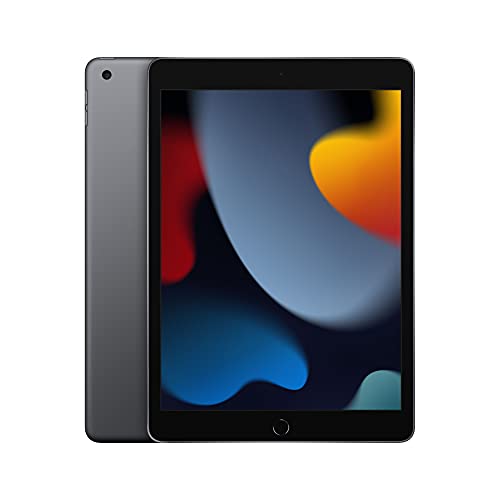
While they both perform adequately, the Apple Pencil has been highly acclaimed for its accuracy and almost zero latency.
The Surface Pen, despite having a good overall performance, doesn’t quite match up to the same level of precision as seen in the Apple Pencil.
This could potentially have an impact on tasks that demand high precision such as graphic design or digital art.
Keyboard Experiences
Typing experiences on both the Surface’s Type Cover and the iPad Pro’s Magic Keyboard have their own unique features.
The Surface Type Cover provides a more traditional keyboard feel with tactile keys and trackpad, offering a near laptop-like experience.
The iPad Pro’s Magic Keyboard, on the other hand, offers a sleek design with backlit keys and a floating cantilever design.
However, Surface Type Cover struggles with stability on uneven surfaces compared to the Magic Keyboard.
This may be a discomforting factor for users who don’t always work at a desk.
The Issue of Battery Life
One of the recurring critiques against the Microsoft Surface revolves around its average battery life.
The longevity of the battery is a crucial factor for professionals and students who need a device that can last the course of a demanding day.
While the Surface does match industry standards, its average longevity does not keep pace with the superior battery life offered by its competitor, the iPad Pro.
The iPad Pro can last up to 10 hours with non-stop use, giving it a definite edge over the Surface in terms of productivity without power constraints.
Each of these considerations contribute to an overall assessment of device competency, showing that there are areas in which the Microsoft Surface struggles to compete with the iPad Pro.
Functionality and Usability Versus Price
With equally compelling features and capabilities, price often plays a definitive role for businesses.
The iPad Pro is on the pricier side, especially considering the cost of accessories.
The Microsoft Surface, depending on the model, can offer more bang for your buck.
The Cost of Essential Add-ons: A Closer Look
One element that tends to frustratingly inflate the cost of the iPad Pro lies in the range of essential add-ons.
For starters, anyone intending to use the iPad Pro for tasks beyond mere content consumption will likely need the Smart Keyboard Folio for a more tactile typing experience.
Additionally, the Apple Pencil, a necessary tool for any creative or design-based tasks, only adds to this growing expense.
Recommended to our readers: Click here
Alternatively, the pricing of the Microsoft Surface includes the necessary Surface Pen and detachable Type Cover, eliminating unexpected costs and providing good value for money.

Device Longevity: A Silent Value Factor
On another note, when talking about the cost-effectiveness and value provided by these two competitive devices, it’s important to address the issue of device longevity.
Both Apple and Microsoft are known for the high-quality build of their devices, albeit, the support in terms of updates and system improvements they provide over the years can significantly influence the true value of these devices.
For instance, Apple goes the extra mile in providing extensive software support to its devices for a longer duration, giving the iPad Pro a potentially extended lifespan.
In contrast, while Microsoft Surface devices may not boast of an equally extensive support period, the ability to upgrade and replace parts makes them more future-proof, counterbalancing this difference.
The Price-Functionality Balance in Everyday Business Use
For everyday business use, the equation of functionality, usability, and price tilts heavily based on the specific requirements of a company or user.
For businesses that require their employees to use powerful, artist-friendly applications, the smooth stylus experience of the iPad Pro could justify the higher price.
For businesses more focused on document management, spreadsheets, and emails, the Microsoft Surface’s broader application compatibility alongside its lower pricing could prove more appealing.
It’s essential to remember that cost goes beyond the initial purchasing price.
Therefore, businesses should carefully consider each device’s repertoire of accessories, their potential longevity, and their suitability to the specific needs of the business.
In conclusion, while the competitive prices and quirkily different functionalities of the iPad Pro and Microsoft Surface make them seem equal, the balance tips based on what add-ons are needed, how long the device is expected to last, and how fitting the device is for specific, day-to-day functions.
Concluding The Conundrum
Recommended to our readers: Click here
Ultimately, it’s your unique business requirements that should drive the decision-making process.
The iPad Pro offers a sleek and efficient experience, while the Microsoft Surface brings the familiarity of a PC environment into a portable format.
Both devices have their own appeal, and the verdict largely hinges upon the specific needs of your business.
So, consider your options, weigh the pros and cons, and choose a device that’ll serve as your dependable business companion.
Personalized Business Needs
Every business is unique in its own right, which means that what works for one company might not be suitable for another.
For example, graphic design businesses that depend heavily on digital artistry might find the iPad Pro incredible because of its advanced display technology and seamless integration with the Apple Pencil.
Contrarily, businesses that are more data or document-heavy may find the Microsoft Surface’s compatibility with Microsoft Office Suite and its multitasking capabilities more beneficial.
User Experience and Device Compatibility
One significant factor in making a decision is the user experience.
With its sleek design and user-friendly interface, the iPad Pro may be more appealing to businesses with team members not versed in tech complexities.
On the other hand, the Microsoft Surface brings the Windows operating system’s familiarity, which could be the deciding factor for businesses with employees already familiar and comfortable operating in a Windows environment.
Weighing Pros and Cons
Recommended to our readers: Click here
When making a complex business decision like this, a pros and cons list can be extremely helpful.
For the iPad Pro, pros may include its superior display, advanced design apps, and easy-to-use interface.
Cons could include its cost and potentially limited software options.
In comparison, the Microsoft Surface’s pros might be its robust software compatibility and keyboard attachment, while cons may include a less intuitive interface and inferior display quality.
Choosing a Business Companion
Your business device will be much more than just a piece of machinery.
It’ll be a partner, aiding in your operations every day.
An iPad Pro could be suited for professionals who need a versatile yet powerful device that they can carry anywhere.
On the other hand, Microsoft Surface could be a reliable partner for those who require robust computing power without the bulk of carrying around a conventional laptop.
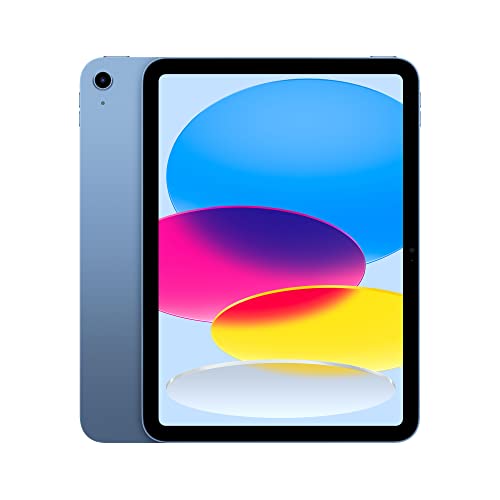
Cost Consideration
The investment for either device, while significant, could offer high returns in terms of productivity and efficiency, which are crucial aspects of daily business functions.
Both devices, while offering different experiences and horsepower, showcase their own set of potential ROI when appropriately leveraged.
Remember, it’s not just about choosing a device that’s currently popular in the market.
It’s about selecting a device that will offer you the best appeal and function for your business requirements.
The choice might not be straightforward, but an informed decision will undoubtedly make a significant difference in your business operations.