Chromebook vs Windows Laptop: A Battle of Tools for Students
In the fast-paced world of academia, the choice between a Chromebook and a Windows laptop can make a significant difference in a student’s learning experience.
These two devices cater to distinct preferences and priorities, offering unique features that can enhance productivity, collaboration, and creativity.
In this article, we delve into the realms of Chromebooks and Windows laptops, exploring their strengths and weaknesses to help students make an informed decision on which device best suits their needs.
Understanding the Unique Features of Chromebooks and Windows Laptops
When it comes to choosing between a Chromebook and a Windows laptop, it’s crucial for students to understand the unique features and functionalities that each device offers.
Chromebooks are known for their simplicity, speed, and affordability.
They run on Chrome OS, a lightweight operating system designed by Google for web-based tasks.
This makes them ideal for students who primarily need a device for browsing the internet, writing papers, and using online educational tools.
On the other hand, Windows laptops provide a more versatile computing experience.
They run on the widely-used Windows operating system, offering a wide range of software compatibility and customization options.
Students who require specific software applications for their coursework, such as Adobe Creative Suite or programming tools, may find Windows laptops more suitable for their needs.
Enhancing Productivity and Collaboration
Productivity and collaboration are essential aspects of a student’s academic journey.
Chromebooks excel in providing a seamless experience for collaborating on Google Docs, Sheets, and Slides.
The real-time collaboration features integrated into Google Workspace make it easy for students to work on group projects and presentations together, regardless of their physical location.
Additionally, Chromebooks offer quick boot times and automatic updates, ensuring that students can focus on their work without disruptions.
Windows laptops, on the other hand, offer a wide variety of productivity tools through the Microsoft Office suite.
Students can leverage applications like Word, Excel, and PowerPoint to create professional-looking documents and presentations.
Windows laptops also support a plethora of third-party productivity apps, allowing students to customize their workflow according to their preferences.
Unleashing Creativity and Innovation
In an academic environment that values creativity and innovation, students often require tools that allow them to express their ideas freely.
Chromebooks come equipped with apps like Google Jamboard and Autodesk SketchBook, which enable students to sketch, draw, and brainstorm effectively.
The simplicity and intuitive design of these apps make them accessible to students of all skill levels, fostering a creative learning environment.
Windows laptops, with their robust hardware capabilities and software compatibility, cater to students with more advanced creative needs.
Graphic design students, for example, may benefit from the powerful features of Adobe Photoshop or Illustrator, which are widely used in the industry.
Windows laptops also support external peripherals like graphic tablets and styluses, providing students with the tools they need to bring their creative visions to life.
Introduction: The Digital Dilemma
The digital age has revolutionized education, with students relying heavily on technology to facilitate their learning journey.
Chromebooks and Windows laptops have emerged as popular choices, each with its own set of advantages and limitations.
The debate over which device reigns supreme in the realm of academia is ongoing, with proponents from both camps advocating for their preferred tool.
Let’s dissect the Chromebook and Windows laptop to uncover the nuances that can impact a student’s educational endeavors.
Technology Integration in Education
In recent years, the integration of technology in education has become a crucial aspect of modern learning environments.
With the rise of digital tools, students now have access to a wealth of resources and interactive platforms that cater to diverse learning styles.
Both Chromebooks and Windows laptops play a significant role in this digital transformation, offering students the ability to engage with educational content in innovative ways.
Chromebooks in Education
Chromebooks have gained popularity in academic settings for several reasons.
One key advantage is their affordability, making them a cost-effective option for schools and students alike.
Additionally, Chromebooks are known for their user-friendly interface and seamless integration with Google’s suite of educational applications, such as Google Classroom and Google Docs.
These features make Chromebooks an attractive choice for institutions looking to adopt a standardized digital platform for teaching and learning.
Windows Laptops: Power and Versatility
On the other hand, Windows laptops are preferred by those seeking a more powerful and versatile computing experience.
With a wider range of software compatibility and customization options, Windows laptops offer students the flexibility to tailor their devices to suit their specific academic needs.
Creative disciplines, such as graphic design and video editing, often benefit from the robust capabilities of Windows laptops, enabling students to explore complex projects and multimedia tasks with ease.
The Evolution of Classroom Dynamics
The introduction of Chromebooks and Windows laptops into classrooms has led to a shift in traditional teaching methods.
Educators now have the opportunity to incorporate multimedia elements, collaborative projects, and real-time feedback mechanisms into their lesson plans.
This evolution in classroom dynamics emphasizes the importance of digital literacy and critical thinking skills, preparing students for success in a technology-driven society.
Conclusion
As the debate between Chromebooks and Windows laptops continues, it is essential to recognize that both devices offer unique advantages that can enhance the educational experience.
Ultimately, the choice between Chromebooks and Windows laptops should be based on the specific needs and preferences of students, educators, and educational institutions.
By leveraging the strengths of each device, students can maximize their learning potential in an increasingly digitized world.
The Battle of Performance and Power
When it comes to performance, Windows laptops have long been hailed for their robust hardware and versatile software capabilities.
Packing powerful processors, ample RAM, and vast storage options, Windows laptops offer students the horsepower needed to tackle demanding tasks, whether it’s crunching numbers for a complex assignment or editing high-definition videos for a multimedia project.
In contrast, Chromebooks are known for their lightweight operating system that relies heavily on cloud-based applications.
While Chromebooks excel in handling everyday tasks like web browsing and word processing with ease, their limited processing power might falter when faced with resource-intensive applications.
Windows Laptops: Performance Powerhouses
Windows laptops are favored by many users for their exceptional performance capabilities, making them ideal for various demanding tasks.
For instance, the inclusion of powerful processors from industry leaders like Intel and AMD ensures smooth multitasking and fast processing speeds.
This means that students can seamlessly switch between multiple applications, run virtual environments for software development, and engage in resource-intensive tasks like 3D rendering without any significant lag or slowdown.
Moreover, the ample RAM options available in Windows laptops provide the necessary headroom for handling memory-intensive applications.
For example, a laptop equipped with 16GB or 32GB of RAM can easily support running multiple browser tabs, video editing software, and large datasets simultaneously without compromising performance.
This is crucial for students who often work on complex projects that require a high amount of memory to execute efficiently.
Additionally, the vast storage configurations offered by Windows laptops cater to the storage needs of students dealing with large files and media content.
Whether it’s an SSD for lightning-fast data access speeds or a spacious HDD for storing multimedia projects, Windows laptops provide options to suit varying requirements.
This ensures that students have the necessary storage space to keep their work organized and accessible without worrying about running out of disk space.
In essence, the robust hardware specifications of Windows laptops, coupled with the versatility of the Windows operating system, enable students to unleash their creativity and productivity without being limited by processing power or memory constraints.
Chromebooks: Lightweight Efficiency
On the other hand, Chromebooks are lauded for their lightweight operating system that prioritizes efficiency and simplicity.
By leveraging cloud-based applications and storage, Chromebooks offer users a streamlined computing experience that is centered around web-centric tasks.
For students who primarily use their laptops for activities like web browsing, taking notes, or collaborating on documents, Chromebooks provide a fast and responsive platform that excels in these everyday tasks.
One of the key advantages of Chromebooks is their instant boot-up times and quick access to applications.
Students can power on their Chromebook and be ready to work within seconds, eliminating the waiting period typically associated with traditional laptops.
This instant-on feature is particularly beneficial for students who need to quickly look up information, jot down ideas, or participate in online discussions during classes or group projects.
Furthermore, the seamless integration with Google Workspace (formerly G Suite) offers students a suite of productivity tools such as Google Docs, Sheets, and Slides that are well-suited for collaborative work.
The real-time editing capabilities and automatic
The Ecosystem: Apps and Software Galore
One of the defining characteristics of a Windows laptop is its compatibility with a wide array of software and applications.
From industry-standard tools like Microsoft Office suite to creative software like Adobe Creative Cloud, Windows laptops provide students with a rich ecosystem that caters to diverse needs.
On the other hand, Chromebooks thrive in the realm of web-based applications, offering seamless integration with Google Workspace tools such as Google Docs, Sheets, and Slides.
While Chromebooks may lack the extensive software library of Windows laptops, their focus on cloud computing ensures that students can access their work from any device with internet connectivity.
Windows Ecosystem: Wide Variety of Software Options
In addition to the industry-standard tools and creative software mentioned, Windows laptops also support a vast selection of specialized software for various disciplines such as graphic design, video editing, programming, and more.
Students can easily find and download software tailored to their specific academic or professional needs, making Windows a versatile platform for tasks ranging from complex data analysis to content creation.
Windows laptops are also known for their extensive gaming library, with many popular games and gaming platforms being compatible with the Windows operating system.
This aspect can be appealing to students who enjoy gaming as a way to relax and unwind between study sessions.
Chromebook’s Web-Based Applications: Focus on Cloud Computing
Chromebooks are designed to leverage the power of cloud computing, allowing students to collaborate in real-time on documents, presentations, and spreadsheets using Google Workspace tools.
The seamless integration with Google Drive ensures that files are continuously backed up and accessible from any device with an internet connection, promoting ease of sharing and editing across multiple platforms.
Moreover, the reliance on web-based applications means that Chromebooks are often lighter in terms of storage requirements, as the bulk of the data is stored in the cloud.
This lightweight design allows Chromebooks to offer fast boot-up times and smooth performance, ideal for students who prioritize efficiency and speed in their daily tasks.
Overall, the ecosystem of apps and software available for Windows laptops and Chromebooks caters to different preferences and work styles, providing students with a diverse range of tools to enhance their productivity and creativity.

Design and Portability: Form Factor Matters
In the realm of design and portability, Chromebooks have carved a niche for themselves with their sleek, lightweight builds that make them ideal companions for students on the go.
Whether it’s dashing between classes or working from a cozy corner of the campus library, Chromebooks shine in terms of portability and battery life.
Windows laptops, on the other hand, come in a variety of form factors, from ultraportable notebooks to powerful gaming machines.
While the diversity in design is a boon for students seeking customization options, it also means that Windows laptops can range from feather-light to unwieldy beasts depending on the model.
Chromebooks: Sleek Designs for On-the-Go Productivity
Chromebooks are known for their minimalist yet modern designs that prioritize mobility and convenience.
These devices typically feature slim profiles, lightweight construction, and durable materials that can withstand the rigors of daily use.
Some Chromebooks even offer convertible form factors, allowing users to switch effortlessly between laptop and tablet modes, making them versatile for a variety of tasks.
One example of a well-designed Chromebook is the Google Pixelbook Go, which sports a sleek magnesium chassis and a slim bezel display.
The Pixelbook Go’s premium build quality and compact size make it a popular choice among students and professionals alike who value style and portability in their devices.
In addition to their physical design, Chromebooks are also known for their long battery life, often lasting a full day or more on a single charge.
This extended battery longevity is a significant advantage for users who need to work on the move or in locations where power outlets may be scarce, such as in a crowded lecture hall or during a day of field research.
Windows Laptops: Versatile Form Factors for Every Need
Unlike Chromebooks, Windows laptops offer a vast array of form factors to cater to diverse user preferences and requirements.
From ultra-thin ultrabooks like the Dell XPS 13 to robust gaming laptops like the ASUS ROG Zephyrus, there is a Windows laptop for every use case and style.
For students looking for a lightweight and portable option, ultrabooks such as the Lenovo Yoga C940 provide a balance of performance and portability without sacrificing aesthetics.
These slim laptops are ideal for carrying to class or working from a coffee shop without adding unnecessary bulk to your backpack.
On the other end of the spectrum, gaming laptops like the MSI GS66 Stealth pack powerful hardware components into a larger chassis to deliver top-tier performance for demanding tasks like gaming, video editing, or software development.
While these laptops may be heavier and bulkier than ultrabooks, they offer unparalleled processing power and graphics capabilities for users who require high-performance computing on the go.
Connectivity and Collaboration: Working Together, Apart
In an era defined by remote learning and virtual collaboration, connectivity features play a crucial role in enhancing the student experience.
Both Chromebooks and Windows laptops offer a plethora of connectivity options, from built-in webcams and microphones for virtual meetings to HDMI ports for connecting external displays.
Chromebooks leverage Google’s ecosystem for seamless collaboration, allowing students to work together on documents in real-time.
Windows laptops, on the other hand, offer a wider range of compatibility with third-party software and peripherals, making them versatile tools for students with specific connectivity requirements.
Connectivity Features in Chromebooks
Chromebooks are known for their simplicity and efficiency when it comes to connectivity features.
In addition to built-in webcams and microphones, Chromebooks also boast multiple USB ports for connecting peripherals such as external hard drives, printers, or keyboards.
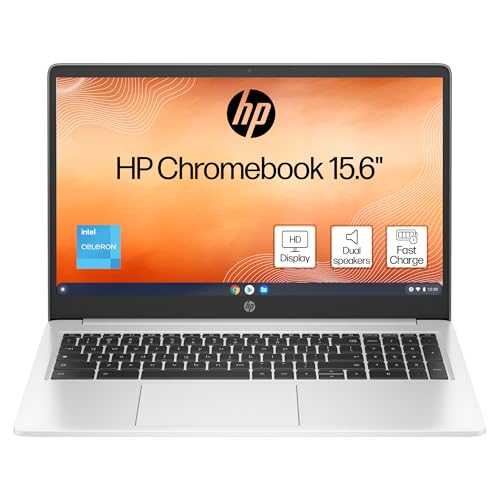
The seamless integration with Google’s suite of applications like Google Docs, Sheets, and Slides further enhances collaboration among students working on group projects or assignments.
Google Workspace for Education
One notable connectivity feature provided by Chromebooks is Google Workspace for Education.
This suite of tools includes Google Classroom, Google Drive, Gmail, and more, offering a comprehensive platform for both students and teachers to communicate, collaborate, and complete assignments.
With Google Workspace, students can easily share documents, presentations, and spreadsheets, enabling real-time editing and feedback from instructors or peers.
Adaptive Connectivity Options in Windows Laptops
Windows laptops stand out for their adaptability in catering to a wide range of connectivity needs.
Apart from the standard features like webcams and microphones, Windows laptops often come equipped with Bluetooth capabilities for wireless connectivity with accessories such as headphones or speakers.
The inclusion of HDMI ports, USB-C ports, and SD card readers further expands the connectivity options, allowing students to seamlessly connect to external monitors, projectors, and other devices.
Third-Party Software Compatibility
One major advantage of Windows laptops in terms of connectivity is their compatibility with a vast array of third-party software and peripherals.
Students with specialized software requirements for their coursework can easily install and use these programs on Windows laptops.
Whether it’s graphic design software, programming tools, or video editing applications, the flexibility of Windows laptops ensures that students can work efficiently with the tools they need for their projects.
Facilitating Virtual Collaboration
Both Chromebooks and Windows laptops play a crucial role in facilitating virtual collaboration among students and educators.
The ability to participate in virtual meetings, online discussions, and group projects is essential in today’s educational landscape.
With the right connectivity features, students can engage in remote learning seamlessly, connecting with their peers and instructors from anywhere in the world.
Conclusion: Making the Right Choice
As the digital landscape continues to evolve, the choice between a Chromebook and a Windows laptop remains a pivotal decision for students embarking on their educational journey.
While Windows laptops boast superior performance and software versatility, Chromebooks offer a streamlined, cloud-centric approach that prioritizes simplicity and portability.
Ultimately, the ideal device for a student depends on their unique workflow, preferences, and budget constraints.
By weighing the pros and cons of each device and considering key features such as performance, ecosystem, design, and connectivity, students can make an informed choice that aligns with their academic goals.
Performance Comparison:
When it comes to performance, Windows laptops are known for their ability to handle resource-intensive tasks with ease due to their more powerful hardware specifications.
They typically come equipped with higher-end processors, more RAM, and dedicated graphics cards, making them ideal for tasks such as video editing, graphic design, or running demanding software.
On the other hand, Chromebooks are designed to be lightweight and efficient, prioritizing speed and responsiveness for web-based tasks.
While they may not match the raw power of Windows laptops, Chromebooks excel in everyday tasks such as web browsing, document editing, and online collaboration.
For students looking for a device that offers a seamless experience for basic educational activities, a Chromebook’s performance may be more than sufficient.
Ecosystem and Software Variety:
Windows laptops have long been favored for their extensive software ecosystem, compatibility with a wide range of applications, and customization options.
Students who require specialized software for their studies or want the flexibility to personalize their device to suit their needs may find Windows laptops to be a better fit.
In comparison, Chromebooks leverage the Google ecosystem, offering seamless integration with Google Drive, Docs, Sheets, and other productivity tools.
While the Chrome OS App Store has expanded in recent years, the software options on Chromebooks are still more limited compared to Windows laptops.

However, for students who primarily work with cloud-based apps and services, the Chromebook ecosystem provides a cohesive environment for streamlined productivity.
Design and Portability:
In terms of design, Windows laptops come in a wide range of form factors, from sleek ultrabooks to powerful gaming machines.
Students who prioritize aesthetics, build quality, and diverse hardware choices may appreciate the design versatility offered by Windows laptops.
Recommended to our readers: Click here
Conversely, Chromebooks are known for their minimalist design, lightweight build, and long battery life.
The focus on portability and efficiency makes Chromebooks ideal for students who are constantly on the move or prefer a device that is easy to carry between classes or study sessions.
The simplicity of Chromebook designs also contributes to their hassle-free user experience, enhancing productivity without unnecessary distractions.
Pros and Cons
| Category | Chromebook | Windows Laptop |
|---|---|---|
| Performance | Efficient for basic tasks | Potent hardware for demanding applications |
| Ecosystem | Seamless integration with Google tools | Diverse software library |
| Design | Sleek and portable | Varied form factors with customization options |
| Connectivity | Google ecosystem for collaboration | Wide range of connectivity options |
Making a Decision: The Personal Touch
In the realm of academia, technology has become an indispensable ally for students seeking to excel in their studies.
As the debate between Chromebooks and Windows laptops rages on, it’s essential for students to consider their individual needs and preferences when selecting the right device.
While performance, ecosystem, design, and connectivity are crucial factors to weigh, the personal touch should not be overlooked.
Performance:
When it comes to performance, Chromebooks are known for their efficiency in handling basic tasks such as web browsing, word processing, and streaming content.
They are ideal for users who prioritize speed and simplicity in their day-to-day activities.
On the other hand, Windows laptops boast potent hardware configurations that cater to users with more demanding applications like video editing, graphic design, and gaming.
For students involved in multimedia projects or software development, the robust performance of a Windows laptop may offer a competitive edge in terms of speed and capability.
Ecosystem:
One of the key distinctions between Chromebooks and Windows laptops lies in their respective ecosystems.
Chromebooks seamlessly integrate with Google’s suite of productivity tools such as Google Docs, Sheets, and Slides.
This cohesion enables users to work collaboratively, access files across devices, and leverage cloud-based storage effortlessly.
In contrast, Windows laptops offer a diverse software library encompassing a wide range of applications from office productivity to creative design tools.
Students with specific software requirements or preferences may find the extensive software ecosystem of Windows laptops more accommodating to their needs.
Design:
Chromebooks are often praised for their sleek and portable designs, making them a popular choice among students who prioritize mobility and style.
The lightweight build and slim profile of Chromebooks enhance portability, allowing students to carry them between classes or study spaces with ease.
On the other hand, Windows laptops come in varied form factors, ranging from ultraportable notebooks to powerful gaming machines.
Furthermore, Windows laptops offer customization options in terms of design aesthetics, keyboard layouts, and additional features like touchscreens or convertible displays.
Students who value personalization and flexibility in their device design may prefer the diverse options available with Windows laptops.
Connectivity:
In the realm of connectivity, Chromebooks leverage the Google ecosystem to facilitate seamless collaboration and communication among users.
Integration with Google Drive, Gmail, and Google Meet enhances productivity by enabling real-time collaboration on documents, emails, and video conferences.
On the contrary, Windows laptops provide a wide range of connectivity options, including multiple USB ports, HDMI outputs, SD card readers, and compatibility with various peripherals.
This versatility in connectivity features enables students to connect external devices, display outputs, and accessories to enhance their productivity and multimedia experience.
Students with diverse connectivity needs may find the array of options available on Windows laptops advantageous for their academic pursuits.
Tailoring to Your Workflow
When choosing between a Chromebook and a Windows laptop, students must assess how each device fits into their daily workflow.
If you find yourself primarily using web-based applications for research, writing papers, and collaborating with peers, a Chromebook’s simplicity and cloud-based approach may streamline your tasks efficiently.
On the other hand, if your academic pursuits demand resource-intensive software for coding, design work, or data analysis, a Windows laptop’s robust hardware and software compatibility might offer the power and flexibility you need.
Consider Your Software Needs
When comparing Chromebooks and Windows laptops, students should carefully consider the specific software requirements for their academic disciplines.
For example, if you are a computer science major who needs to run IDEs like IntelliJ or Visual Studio for coding projects, a Windows laptop would be the more suitable choice due to its compatibility with such resource-intensive software.
On the other hand, if your coursework mainly involves using cloud-based tools like Google Docs, Sheets, and Slides, a Chromebook can meet your needs effectively without the need for locally installed programs.
Access to Offline Applications
Recommended to our readers: Click here
One important consideration is the availability of offline applications.
Chromebooks are designed to be primarily used with an internet connection, and while many tasks can be accomplished offline using Google’s suite of apps, certain software tools may require connectivity.
Windows laptops, on the other hand, offer more flexibility when it comes to offline work, allowing students to use a wide range of applications without being dependent on internet access.
Longevity and Maintenance
Another factor to consider is the longevity and maintenance of the device.
Recommended to our readers: Click here
Chromebooks are known for their minimalistic design and streamlined operating system, which often results in faster boot times and automatic software updates.
This hassle-free maintenance appeals to students looking for a device that requires minimal upkeep.
In contrast, Windows laptops may require more frequent software updates, antivirus scans, and overall maintenance to ensure optimal performance over time.
Customization and Personalization Options
Windows laptops provide users with extensive customization and personalization options, allowing students to tailor their device to suit their preferences.
From changing backgrounds and themes to installing third-party software for specialized tasks, Windows laptops offer a high level of customization that can enhance the user experience.
On the other hand, Chromebooks are more limited in customization options due to their focus on simplicity and security, which may be appealing to students who prefer a more streamlined experience.
Budget Considerations: Balancing Features and Cost
For many students, budget constraints play a significant role in the device selection process.
Chromebooks are generally more budget-friendly than Windows laptops, making them an attractive option for cost-conscious individuals.
While Chromebooks provide solid performance for everyday tasks at an affordable price point, Windows laptops offer a wider range of features but often come with a higher price tag.
Students must strike a balance between the features they require and the budget they can comfortably allocate to their device.
Factors to Consider when Balancing Features and Cost:
When making a decision between Chromebooks and Windows laptops based on budget considerations, students should take into account various factors beyond the initial purchase price.
It’s essential to consider the total cost of ownership, including expenses such as software subscriptions, maintenance, and potential upgrades over the device’s lifespan.
While Chromebooks may have a lower upfront cost, Windows laptops might offer a better long-term value if they meet the user’s needs for a longer period without requiring costly upgrades or replacements.
Value Proposition of Chromebooks and Windows Laptops:
Chromebooks are known for their affordability and simplicity, making them a popular choice for students on a tight budget.
These devices are designed to excel in web-based tasks and offer seamless integration with Google services, making them ideal for schoolwork and online research.
On the other hand, Windows laptops come with a more extensive range of features and applications, catering to a broader set of academic and personal needs.
Students who require specific software programs or advanced functionalities may find that investing in a Windows laptop is worth the higher cost.
Customization Options and Flexibility:
Another aspect to consider when weighing budget constraints is the level of customization and flexibility offered by each device.
While Chromebooks typically have limited hardware options and configurations due to their streamlined design, Windows laptops provide more room for customization, allowing users to choose components based on their requirements and budget.
From high-performance processors to dedicated graphics cards, Windows laptops offer a wider selection of hardware choices that can align with a student’s academic pursuits and personal preferences.
Balancing Performance and Price:
Finding the right balance between performance and price is crucial when selecting a device that fits within a student’s budget.
Chromebooks, with their focus on web browsing and cloud-based applications, offer sufficient performance for basic tasks at a lower cost.
In comparison, Windows laptops deliver greater processing power, storage capacity, and multitasking capabilities, which may justify the higher price for students with demanding academic needs.
Understanding the performance requirements of academic programs and extracurricular activities can help students make an informed decision on whether to prioritize features over cost or vice versa.
Longevity and Support: Investing in Your Education
Beyond the initial purchase, students should also consider the longevity and support provided by their chosen device.
Windows laptops, backed by established manufacturers and a vast user base, often offer extended support for software updates and technical assistance.
This ensures that your device remains current and secure throughout your academic journey.
Chromebooks, known for their automatic updates and streamlined maintenance, provide a hassle-free experience that requires minimal intervention from the user, making them a convenient choice for students seeking a hands-off approach to device management.
Longevity Features
When considering the longevity of a device, it’s important to look at factors such as build quality, hardware specifications, and potential for upgrades.
Windows laptops often come with durable construction and a wide range of models to choose from, catering to varying needs and budgets.
These laptops are designed to withstand the rigors of daily use, ensuring that they can handle the demands of a student’s academic workload.
In terms of hardware specifications, Windows laptops offer a diverse selection of processors, storage options, and display configurations to accommodate different requirements.
This versatility allows students to select a device that suits their specific academic needs, whether it’s for intensive multimedia projects, research tasks, or programming assignments.
Additionally, the potential for upgrades in Windows laptops provides a level of customization and future-proofing.
Students can easily expand storage capacity, upgrade RAM for better performance, or even replace components like the battery or display if needed.
This modularity ensures that the device can adapt to changing academic requirements and technological advancements, extending its lifespan beyond the initial purchase.
Support and Resources
The level of support and resources available for a device can significantly impact its usability and longevity.
Windows laptops benefit from a vast ecosystem of software developers, hardware manufacturers, and online forums where users can seek assistance, troubleshooting tips, and expert advice.
This extensive network of support ensures that students have access to resources that can help them address any technical issues or software-related concerns that may arise during their academic endeavors.
Moreover, many Windows laptops come with bundled software suites, educational tools, and productivity applications that enhance the overall user experience.
These resources can streamline academic tasks, promote collaboration among peers, and facilitate efficient organization and time management.
By leveraging these integrated solutions, students can maximize the capabilities of their devices and optimize their learning process.
Overall, when investing in your education, considering the longevity features and support offered by a device is essential in ensuring a smooth and productive academic experience.
Windows laptops, with their robust build quality, hardware versatility, and extensive support network, are well-positioned to meet the evolving needs of students throughout their educational journey.
Education-Specific Features: Enhancing the Learning Experience
In the quest for academic success, students can benefit from exploring education-specific features offered by Chromebooks and Windows laptops.
Both devices may come equipped with tools tailored to support learning, such as note-taking apps, educational software suites, and integrations with learning management systems.
Students should evaluate these additional features to determine which device offers the functionalities that align with their educational goals and study habits.
Recommended to our readers: Click here
Note-Taking Apps for Enhanced Study Sessions
One of the key education-specific features that can greatly benefit students is the availability of advanced note-taking apps on Chromebooks and Windows laptops.
These apps, such as Microsoft OneNote or Google Keep, offer functionalities like seamless organization, multimedia integration, and cloud-syncing capabilities.
With these tools, students can create detailed, interactive notes that cater to different learning styles, making their study sessions more efficient and effective.
Educational Software Suites for Diverse Learning Needs
Chromebooks and Windows laptops often come pre-installed with or have easy access to educational software suites that cover a wide range of subjects and learning levels.
For instance, students can make use of Microsoft Office Suite or Google Workspace for creating documents, presentations, and spreadsheets.
Furthermore, specific educational software like language learning programs, coding platforms, or creative design tools can be essential resources for students with diverse learning needs and interests.
Integration with Learning Management Systems for Seamless Access
Another crucial aspect of education-specific features is the integration of Chromebooks and Windows laptops with learning management systems (LMS).
This integration allows students to access course materials, submit assignments, and collaborate with peers directly from their devices.
By having seamless integration with LMS platforms like Google Classroom, Canvas, or Blackboard, students can stay organized, engaged, and on top of their academic responsibilities.
Personalization Options to Suit Individual Study Habits
Both Chromebooks and Windows laptops offer a variety of personalization options that can cater to individual study habits and preferences.
Students can customize their devices with themes, wallpapers, and extensions that create a conducive and inspiring study environment.
Additionally, features like split-screen multitasking, virtual desktops, and keyboard shortcuts can be utilized based on individual study preferences, enhancing productivity and focus during study sessions.
Accessibility Tools for Inclusive Learning Environments
In line with promoting inclusive learning environments, Chromebooks and Windows laptops also provide a range of accessibility tools to support students with diverse learning challenges.
Features such as screen readers, magnifiers, speech-to-text, and color accessibility settings ensure that students with visual, auditory, or motor impairments can effectively engage with educational content and participate in academic activities.
These accessibility tools contribute to creating a more inclusive and supportive learning experience for all students.
Final Thoughts: Empowering Your Academic Journey
In the Final Thoughts: Empowering Your Academic Journey
In the digital age, the choice between a Chromebook and a Windows laptop transcends mere hardware specifications; it’s about finding a companion that empowers your academic journey.
Whether you opt for the streamlined simplicity of a Chromebook or the versatility of a Windows laptop, your device should complement your learning style, enhance your productivity, and adapt to the dynamic demands of modern education.
Importance of Choosing the Right Device
Selecting the right device for your academic journey is crucial as it can significantly impact your learning experience and overall performance.
Understanding the differences between a Chromebook and a Windows laptop will help you make an informed decision that aligns with your specific needs and preferences.
Tailoring to Your Learning Style
Consider your learning style when choosing between a Chromebook and a Windows laptop.
For example, if you prefer a more seamless and cloud-based approach to your studies, a Chromebook might be the ideal choice.
On the other hand, if you require specialized software or tools for your coursework, a Windows laptop offers greater flexibility and compatibility.
Enhancing Productivity
Your device should be a tool that enhances your productivity and allows you to efficiently manage your academic responsibilities.
Look for features such as multitasking capabilities, long battery life, and a user-friendly interface that can streamline your workflow and help you stay organized.
Adaptability to Modern Education Demands
Modern education requires flexibility and adaptability from students, and your choice of device should reflect this.
Make sure your device can keep up with the evolving landscape of digital learning, whether it’s by supporting online collaboration, facilitating research, or accommodating multimedia projects.
Conclusion
Ultimately, the decision between a Chromebook and a Windows laptop should be guided by how well the device aligns with your academic goals and preferences.
By selecting a device that complements your learning style, enhances productivity, and adapts to the demands of modern education, you can empower yourself on your academic journey and set yourself up for success.
Embracing Flexibility and Adaptability
As students navigate the ever-evolving landscape of academia, adaptability becomes a cornerstone of success.
Your choice between a Chromebook and a Windows laptop should not only cater to your current needs but also accommodate future growth and changes in your academic pursuits.
Consider how well each device can scale with your evolving requirements, whether it involves exploring new disciplines, engaging in collaborative projects, or transitioning to different modes of learning.
Importance of Future-Proofing Your Device Choice
Investing in a device that can adapt to unforeseen changes and challenges in your academic journey is crucial for long-term success.
By selecting a versatile tool that aligns with both your current and potential future needs, you set yourself up for a smoother transition as you progress through your studies.
For instance, a Chromebook may be sufficient for basic tasks at the beginning of your academic career, but as you delve into more complex research projects or software applications, a Windows laptop might offer greater compatibility and performance to support your academic growth.
Consideration for Diverse Academic Activities
When choosing between a Chromebook and a Windows laptop, it is essential to consider the range of academic activities you may engage in during your academic pursuits.
For students who anticipate working on multimedia projects, coding assignments, or data analysis tasks, a Windows laptop with its wider software compatibility and processing power could be better suited to meet these diverse needs.
On the other hand, if your academic endeavors primarily involve web browsing, document editing, and online collaboration, a Chromebook’s lightweight design and cloud-based functionalities may provide the flexibility and convenience required for these tasks.
Adapting to Collaborative Learning Environments
In today’s academic landscape, collaborative learning environments are increasingly emphasized to foster teamwork, knowledge exchange, and problem-solving skills among students.
When selecting a device, consider its compatibility with collaboration tools, such as Google Workspace or Microsoft Teams, to ensure seamless communication and group work experiences with your peers.
A device that can seamlessly integrate with various platforms and facilitate real-time collaboration will enhance your ability to engage effectively in group projects and virtual discussions, thereby enriching your overall academic experience.
Transitioning Between Learning Modes
As educational institutions continue to adopt hybrid or online learning models, the ability to transition between different modes of learning is essential.
Your choice between a Chromebook and a Windows laptop should enable you to seamlessly navigate between in-person classes, virtual lectures, and remote study sessions without compromising on productivity or connectivity.
Ensuring that your device supports a variety of learning environments and online tools will empower you to stay agile and adapt to changing educational formats, ultimately enhancing your academic performance and learning outcomes.
Leveraging Tech for Skill Development
Beyond academic endeavors, your device can serve as a platform for honing crucial skills that extend beyond the classroom.
Whether it’s mastering digital literacy, enhancing your creativity through multimedia projects, or developing proficiency in software tools, both Chromebooks and Windows laptops offer a gateway to acquiring valuable competencies that are increasingly relevant in today’s digital economy.
Skill Development through Digital Literacy
Digital literacy is not just about using a computer or browsing the internet; it encompasses a wide range of skills essential for navigating the digital landscape effectively.
With a Chromebook or Windows laptop, you can delve into coding, understand cybersecurity basics, learn how to effectively use online productivity tools, and improve your ability to critically evaluate information found on the web.
These skills are not only valuable in academic settings but are also highly sought after in the professional world.
Enhancing Creativity with Multimedia Projects
The ability to create engaging multimedia projects is a valuable skill in today’s visually-driven society.
Your device can help you explore various multimedia tools and software, like Adobe Creative Suite or Canva, to develop your design, photography, video editing, and animation skills.
By working on multimedia projects, you can unleash your creativity, improve your visual communication abilities, and even build a portfolio that showcases your talents to potential employers or clients.
Proficiency in Software Tools for Professional Development
In the modern workplace, proficiency in software tools is often a prerequisite for many jobs across different industries.
With a Chromebook or Windows laptop, you can take advantage of online tutorials, courses, and practice exercises to master popular software applications such as Microsoft Office Suite, Adobe Photoshop, Excel, or programming languages like Python.
Acquiring proficiency in these tools not only enhances your employability but also opens up opportunities for freelance work or entrepreneurial ventures in the tech sector.
Joining the Hybrid Learning Revolution
In an era where online and hybrid education models have gained prominence, the choice of device plays a pivotal role in shaping your virtual learning experience.
By leveraging the strengths of a Chromebook or a Windows laptop, students can seamlessly transition between in-person classes, virtual lectures, and collaborative online platforms, fostering a robust educational ecosystem that transcends physical boundaries.
Advantages of Chromebook for Hybrid Learning
A Chromebook offers several advantages for hybrid learning, making it a popular choice among students and educators.
One key benefit is the seamless integration with Google Suite tools such as Google Docs, Sheets, and Slides.
This compatibility allows for easy collaboration on group projects, real-time editing, and sharing of documents within a virtual classroom setting.
Additionally, Chromebooks are known for their fast boot-up times and long battery life, enabling uninterrupted learning sessions whether in a physical classroom or at home.
Flexibility of Windows Laptop in Hybrid Education
On the other hand, a Windows laptop provides greater versatility and customization options for students participating in hybrid learning.
With a Windows operating system, users have access to a wide range of productivity software, multimedia editing tools, and industry-specific applications that may be necessary for certain courses or projects.
This flexibility allows students to tailor their digital workspace to suit their individual learning preferences and academic requirements.
Transitioning Between In-Person and Virtual Classes
The ability to seamlessly transition between in-person and virtual classes is a key aspect of the hybrid learning experience.
Students using a Chromebook or Windows laptop can easily attend lectures, participate in discussions, and complete assignments across different learning environments.
With cloud storage solutions and synchronization features, students can save their work in real-time and access it from any device, ensuring a smooth shift between physical classrooms and online platforms.
Enhancing Collaborative Learning Opportunities
Both Chromebooks and Windows laptops play a crucial role in enhancing collaborative learning opportunities in hybrid education.
Through video conferencing tools, online forums, and shared document editing capabilities, students can engage with their peers and instructors from anywhere, fostering a sense of community and connection in virtual learning spaces.
The collaborative features of these devices enable seamless group projects, peer feedback sessions, and interactive discussions that mirror the dynamics of traditional in-person classrooms.
Sustainability and Environmental Impact
In alignment with the global movement toward sustainability, students may also consider the environmental footprint of their chosen device.
Chromebooks, known for their energy efficiency and minimalistic design, offer a sustainable option for eco-conscious individuals.
Windows laptops, while versatile in their capabilities, may vary in energy consumption and environmental impact based on the model and manufacturer.
Energy Efficiency and Sustainability of Chromebooks
Chromebooks are specifically designed to be energy efficient, consuming significantly less power compared to traditional laptops.
This not only translates to lower energy bills for users but also reduces the overall carbon footprint of using the device.
The minimalistic design of Chromebooks also contributes to sustainability, as fewer materials are used in their production, leading to lower waste generation during manufacturing.
Environmental Impact of Windows Laptops
When considering the environmental impact of Windows laptops, it’s essential to look beyond just the energy consumption.
Factors such as the manufacturing process, materials used, and end-of-life disposal should also be taken into account.
Some manufacturers of Windows laptops are actively incorporating sustainable practices into their production processes, using recycled materials and promoting recyclability.

Lifecycle Analysis
Conducting a comprehensive lifecycle analysis can provide a more holistic view of the environmental impact of different devices.
This analysis considers not only the energy efficiency during use but also the environmental costs associated with manufacturing, transportation, and disposal.
By evaluating the entire lifecycle of a device, students can make more informed choices that align with their sustainability values.
Embracing a Diverse Tech Ecosystem
Ultimately, the decision between a Chromebook and a Windows laptop is more than a matter of hardware specifications—it’s a reflection of your approach to technology, learning, and productivity.
By embracing the diverse tech ecosystem that both devices offer, students can create a personalized digital toolkit that caters to their unique academic aspirations, fostering a balance between efficiency, creativity, collaboration, and adaptability.
Understanding the Chromebook Experience
When considering the Chromebook experience, it’s essential to recognize its roots in cloud computing.
Chromebooks are designed to be lightweight, affordable, and reliant on cloud-based applications.
This setup enables a seamless transition between devices and locations.
Students can access their work from anywhere with an internet connection, promoting flexibility and convenience in their workflow.
Furthermore, the streamlined nature of Chromebooks minimizes distractions, enhancing focus and productivity during study sessions.
Exploring the Versatility of Windows
On the other hand, Windows laptops offer a more traditional computing experience with a vast array of software options.
The versatility of Windows allows students to customize their device with a wide range of applications to suit their specific needs.
Whether it’s graphic design software, programming tools, or specialized research programs, Windows laptops provide a comprehensive platform for academic pursuits.
Additionally, the familiarity of the Windows interface makes it accessible to users of all levels, promoting ease of use and seamless integration into existing workflows.
Harnessing the Power of Productivity Tools
Both Chromebooks and Windows laptops come equipped with a variety of productivity tools that can enhance students’ academic performance.
From word processors and presentation software to note-taking apps and collaborative platforms, these devices offer a plethora of resources to streamline tasks and improve efficiency.
By leveraging these tools effectively, students can better organize their work, communicate with peers, and present their ideas in a compelling manner.
Moreover, mastering these productivity tools equips students with valuable skills that are transferable to future academic and professional endeavors.
Creating a Personalized Digital Toolkit
The key takeaway from choosing between a Chromebook and a Windows laptop is the opportunity to create a personalized digital toolkit that aligns with individual learning preferences and goals.
By combining the strengths of both devices, students can optimize their workflow and maximize their potential for success.
For instance, a student may prefer the portability and simplicity of a Chromebook for everyday tasks but rely on the robust capabilities of a Windows laptop for specialized projects or intensive research.
This strategic approach allows students to tailor their technology use to meet the demands of their academic journey effectively.
The Path Forward: A Digital Odyssey
As you embark on your digital odyssey in pursuit of academic excellence, the choice between a Chromebook and a Windows laptop marks the beginning of a journey filled with possibilities and growth.
Let’s explore further how each device can empower your academic endeavors and support your aspirations for success.
Advantages of a Chromebook for Academic Excellence
One of the key advantages of using a Chromebook for academic pursuits is its simplicity and user-friendly interface.
Chromebooks are known for their quick startup and ease of use, making them ideal for students who want a no-fuss device that allows them to focus on their studies without technical distractions.
The integration with Google’s suite of applications such as Google Docs, Sheets, and Slides also fosters seamless collaboration among peers on group projects or research assignments.
In addition, the lightweight and portable nature of Chromebooks make them perfect companions for students on the go.
Whether you’re rushing to class or studying in a cafe, the slim and compact design of a Chromebook ensures that you can easily slip it into your bag and carry it wherever your academic adventures take you.
Furthermore, the affordable price point of many Chromebook models makes them accessible to students on a budget, offering a cost-effective solution without compromising on functionality.
Harnessing the Power of a Windows Laptop for Academic Success
On the other hand, the versatility and power of a Windows laptop present a compelling argument for students looking to delve into more complex tasks beyond basic note-taking and research.
With a Windows laptop, students have access to a wider range of software applications and tools, allowing them to explore programming, graphic design, statistical analysis, and other advanced academic pursuits.
The customizable nature of Windows laptops enables students to tailor their computing experience to suit their specific academic needs.
Whether you require a high-performance laptop for running resource-intensive software or prefer to optimize your device for multitasking and productivity, Windows laptops offer a level of customization that can enhance your academic workflow and efficiency.
Furthermore, the compatibility of Windows laptops with a variety of peripherals and accessories provides students with the flexibility to expand their computing setup as needed.
Whether you need to connect external monitors for a more immersive study experience or require additional storage options for research data and projects, a Windows laptop can serve as a hub for enhancing your academic productivity.
In conclusion, the choice between a Chromebook and a Windows laptop ultimately depends on your academic goals, preferences, and budget.
While Chromebooks excel in simplicity, portability, and affordability, Windows laptops offer versatility, power, and customization options that cater to a broader range of academic pursuits.
By evaluating your unique academic needs and weighing the pros and cons of each device, you can make an informed decision that sets you on the path to digital success in your academic journey.
Harnessing the Power of Productivity Tools
In today’s academic landscape, productivity tools are indispensable for managing coursework, organizing research materials, and enhancing collaboration with peers.
Chromebooks, integrated with Google Workspace applications, offer a seamless platform for creating documents, presentations, and spreadsheets while fostering real-time collaboration among students.
The simplicity and efficiency of Chromebook’s productivity tools can streamline your workflow and boost productivity without the need for additional software installations.
On the other hand, Windows laptops provide a vast array of productivity software options, ranging from Microsoft Office to specialized tools for academic disciplines such as engineering, design, or statistics.
The versatility of Windows laptops in accommodating a wide range of productivity applications allows students to tailor their device to specific academic requirements, empowering them to excel in diverse fields of study.
Benefits of Google Workspace on Chromebooks
One of the key advantages of using Chromebooks in academic settings is the seamless integration with Google Workspace applications.
Google Docs, Google Slides, and Google Sheets offer a cloud-based solution that enables students to access their work from any device with an internet connection.
This flexibility is particularly advantageous for collaborative projects, allowing team members to edit documents simultaneously and provide real-time feedback to each other.
Additionally, the automatic saving feature in Google Workspace ensures that students never lose their progress, offering peace of mind during intensive study sessions.
Recommended to our readers: Click here
Specialized Productivity Tools on Windows Laptops

Windows laptops stand out for their compatibility with a wide range of productivity software tailored to different academic disciplines.
For instance, engineering students can benefit from software like AutoCAD for design projects, while students in statistics may utilize statistical analysis tools such as SPSS or R. The availability of specialized applications on Windows laptops enables students to delve deeper into their field of study and gain practical skills that are in demand in the workforce.
By customizing their device with industry-specific software, students can supplement their academic learning with hands-on experience, giving them a competitive edge in their chosen career path.
Navigating the Digital Learning Landscape
As online learning becomes increasingly prevalent, students must adapt to virtual classrooms, online resources, and digital study environments.
Both Chromebooks and Windows laptops offer a gateway to exploring digital learning ecosystems, providing access to online courses, research databases, and educational platforms that enrich the learning experience.
By leveraging the connectivity and flexibility of their chosen device, students can engage with interactive learning materials, participate in virtual discussions, and collaborate with peers across geographical boundaries.
Chromebooks, with their streamlined interface and cloud-based storage, enable students to access learning materials and assignments from anywhere with an internet connection.
This mobility and accessibility make Chromebooks ideal companions for students with dynamic schedules or those who prefer studying in various locations.
In contrast, Windows laptops offer a robust platform for engaging with multimedia content, running complex simulations, and delving into specialized software applications relevant to certain academic disciplines.
The multimedia capabilities of Windows laptops enable students to create engaging presentations, multimedia projects, and interactive learning materials that showcase their creativity and expertise.
Advantages of Chromebooks for Digital Learning:
Chromebooks are designed to be lightweight and affordable, making them a popular choice among students.
With fast boot-up times and automatic updates, Chromebooks offer a hassle-free experience, ensuring that students can focus on their studies without technical interruptions.
The integration of Google Workspace tools such as Google Docs, Sheets, and Slides allows for seamless collaboration on group projects and real-time editing of documents, fostering teamwork and productivity among students.
One of the key advantages of Chromebooks is their security features.
Built-in virus protection, automatic backups, and sandboxing of applications help to keep students’ data safe and secure.
This is particularly important when handling sensitive information or conducting research projects that require data confidentiality.
Chromebooks also promote efficient organization and time management.
Students can utilize features like Google Calendar and Task Manager to schedule study sessions, set reminders for deadlines, and stay on top of their academic responsibilities.
The simplicity of the Chrome OS interface ensures that students can navigate their digital learning environment with ease, allowing them to focus on learning and achieving their academic goals.
Enhanced Productivity with Windows Laptops:
Windows laptops offer a wide range of productivity tools and software applications that cater to diverse academic needs.
Students pursuing fields such as graphic design, engineering, or architecture may require specialized software like Adobe Creative Suite, AutoCAD, or MATLAB, which are compatible with Windows operating systems.
The versatility of Windows laptops enables students to install and run these applications smoothly, supporting their coursework and research projects.
In addition to software compatibility, Windows laptops provide ample storage space for saving multimedia projects, research data, and academic resources.
The ability to expand storage through external hard drives or cloud services ensures that students can store large files and access them whenever needed.
This feature is particularly beneficial for students working on multimedia projects or data-intensive assignments that require substantial storage capacity.
Furthermore, the multitasking capabilities of Windows laptops empower students to work on multiple projects simultaneously, switch between applications seamlessly, and customize their workspace to enhance productivity.
Features like virtual desktops, snap assist, and task view enable students to organize their workflow effectively, prioritize tasks, and optimize their digital learning experience for maximum efficiency.
Balancing Work and Play: Entertainment and Leisure
While academic pursuits are a cornerstone of student life, it’s essential to strike a balance between work and play to maintain well-being and creativity.
Chromebooks and Windows laptops both cater to students’ entertainment and leisure needs, providing access to streaming services, gaming platforms, and social networking sites that offer relaxation and breaks from academic rigors.
Recommended to our readers: Click here
Chromebooks are known for their efficient web
Benefits of Chromebooks for Entertainment and Leisure
Chromebooks are popular among students for their lightweight design, long battery life, and affordability, making them ideal companions for entertainment purposes.
These devices offer convenient access to a wide range of streaming services like Netflix, Hulu, and YouTube, allowing students to unwind and de-stress after a long study session.
With the Chrome Web Store providing access to various entertainment apps and extensions, students can easily customize their Chromebooks to suit their leisure preferences.
Moreover, Chromebooks are well-suited for casual gaming, with an increasing number of games available through online platforms compatible with the device’s hardware specifications.
Students can indulge in popular games like Among Us, Roblox, or browser-based games during their leisure time, fostering social connections and sparking creativity through interactive gameplay.
In addition, social networking sites like Facebook, Instagram, and Twitter are easily accessible on Chromebooks, enabling students to stay connected with friends and engage in online communities outside of academia.
Whether sharing updates, photos, or simply scrolling through their feeds, students can find moments of relaxation and social interaction, enhancing their overall well-being.
Overall, Chromebooks offer a seamless blend of entertainment and leisure features that cater to students’ diverse preferences, promoting a balanced lifestyle that supports both academic success and personal enjoyment.