SteelSeries Apex 3 vs Corsair K63: A Battle of Gaming Keyboards
In the ever-evolving world of gaming peripherals, the choice of a keyboard can make a significant difference in your overall gaming experience.
The market is flooded with options, each boasting unique features and specifications tailored to suit the varied needs of gamers.
Two popular contenders in the gaming keyboard arena are the SteelSeries Apex 3 and the Corsair K63.
Both keyboards bring their own set of strengths and innovations to the table, catering to different preferences and gaming styles.
Let’s dive into a comparative analysis of the SteelSeries Apex 3 and the Corsair K63 to help you find the perfect match for your gaming setup.
Key Features of SteelSeries Apex 3:
The SteelSeries Apex 3 is a full-featured gaming keyboard designed to deliver a balance of performance and affordability.
One of its standout features is the IP32 water and dust resistance rating, making it durable and resilient against accidental spills or dust accumulation.
This feature is particularly beneficial for gamers who tend to have snacks or drinks while gaming, providing peace of mind knowing that their keyboard is protected.
Additionally, the SteelSeries Apex 3 boasts customizable RGB backlighting with ten vibrant illumination zones, allowing users to personalize their gaming setup with dynamic lighting effects.
This feature not only enhances the aesthetic appeal of the keyboard but also serves a functional purpose by helping gamers easily locate keys in dimly lit environments.
Key Features of Corsair K63:
On the other hand, the Corsair K63 is a compact and wireless gaming keyboard that prioritizes portability and freedom of movement.
It features Cherry MX Red mechanical key switches, providing a tactile and responsive typing experience ideal for fast-paced gaming sessions.
The inclusion of Cherry MX Red switches sets the Corsair K63 apart from membrane keyboards like the SteelSeries Apex 3, offering a different feel and actuation point that some gamers prefer.
Furthermore, the Corsair K63 comes with a detachable wrist rest for added comfort during extended gaming sessions.
The ergonomic design of the wrist rest helps in reducing strain on the user’s wrists and promotes better posture, contributing to a more comfortable and enjoyable gaming experience.
Performance and Gaming Experience:
In terms of performance, the SteelSeries Apex 3 is equipped with low-friction membrane switches that provide a quiet and cushioned typing experience.
While these switches may not offer the same tactile feedback as mechanical switches, they are responsive and well-suited for gamers who prefer a softer keystroke feel.
On the other hand, the Corsair K63’s Cherry MX Red mechanical switches deliver a more pronounced tactile feedback and audible click, appealing to gamers who prioritize precision and responsiveness in their keystrokes.
The switch type can significantly impact the user’s gaming experience, with some preferring the distinct feel of mechanical switches over membrane switches.
Ultimately, the choice between the SteelSeries Apex 3 and the Corsair K63 boils down to personal preferences and priorities, whether it be durability, customization options, switch type, or ergonomic features.
Both keyboards offer unique strengths that cater to different gaming styles, so choosing the right one depends on what aspects of a keyboard are most important to the individual user.
Design and Build Quality
When it comes to design and build quality, the SteelSeries Apex 3 and the Corsair K63 showcase contrasting aesthetics and construction.
The SteelSeries Apex 3 boasts a sleek and modern design with customizable RGB lighting that adds a touch of personalization to your gaming station.
Its durable frame and spill-resistant feature make it a reliable choice for those intense gaming sessions where accidents are bound to happen.
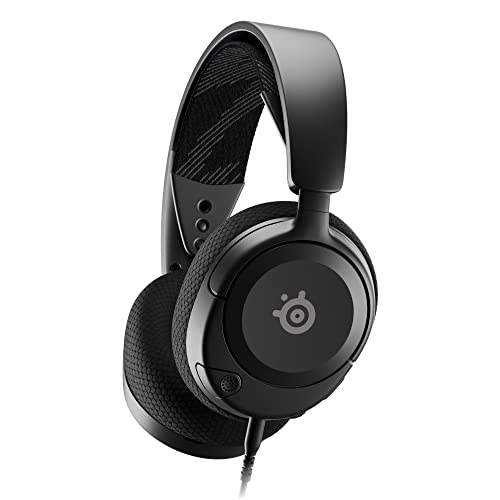
On the other hand, the Corsair K63 presents a more compact and minimalist design, ideal for gamers looking for a simple yet functional keyboard.
The cherry MX Red mechanical key switches in the Corsair K63 provide a satisfying tactile feedback that enhances the overall typing and gaming experience.
SteelSeries Apex 3 Design:
The SteelSeries Apex 3 stands out with its unique design elements that cater to the needs of gamers who prioritize style and performance.
The keyboard features an ergonomic layout that ensures comfortable typing and gaming sessions for extended periods.
The inclusion of customizable RGB lighting not only adds a visually appealing touch but also allows users to match their setup with their personal preferences.
With the SteelSeries Apex 3, gamers have the option to create dynamic lighting effects, choose from various color schemes, and even sync up the lighting with other SteelSeries peripherals for a cohesive gaming atmosphere.
Corsair K63 Build Quality:
In terms of build quality, the Corsair K63 exceeds expectations with its sturdy construction and attention to detail.
The compact size of the keyboard does not compromise on durability, as the Corsair K63 is built to withstand the rigors of intense gaming sessions.
The spill-resistant feature adds an extra layer of protection, ensuring that accidental spills or mishaps do not disrupt gameplay.
The inclusion of cherry MX Red mechanical key switches further enhances the overall reliability of the Corsair K63, providing a responsive and tactile typing experience that is well-suited for both gaming and productivity tasks.
Performance and Features
When it comes to performance, both keyboards offer a range of features aimed at optimizing your gaming performance.
The SteelSeries Apex 3 is equipped with Whisper Quiet gaming switches that provide a soft and silent keystroke, making it ideal for gamers who prefer a quieter gaming environment.
Its dedicated media controls and customizable key bindings offer convenience and flexibility during gameplay.
On the other hand, the Corsair K63’s mechanical key switches deliver a responsive and precise typing experience, ensuring quick input recognition for your gaming commands.
The Corsair K63’s anti-ghosting feature allows for simultaneous key presses without any input lag, giving you a competitive edge in fast-paced games.
Gamer-Friendly Design
Both the SteelSeries Apex 3 and Corsair K63 are designed with gamers in mind, offering features that enhance gameplay and user experience.
The SteelSeries Apex 3 stands out with its Whisper Quiet gaming switches, which not only provide a tactile response but also ensure a silent keystroke, perfect for late-night gaming sessions where noise levels need to be kept low.
Additionally, the dedicated media controls on the Apex 3 make it easy to adjust volume, skip tracks, or pause music without interrupting your gameplay flow.
The Corsair K63, on the other hand, is built for ultimate precision and speed.
Its mechanical key switches deliver a tactile and audible click, giving players the satisfying feeling of each keystroke registering with precision.
This responsive feedback is crucial in fast-paced gaming scenarios where split-second decisions can make all the difference.
The Corsair K63’s anti-ghosting feature further solidifies its position as a top choice for competitive gamers, allowing for multiple key presses to be recognized simultaneously without any delay.
Customization Options
In terms of customization, both keyboards offer a range of options to tailor the gaming experience to fit individual preferences.
The SteelSeries Apex 3 comes with customizable key bindings, allowing players to assign specific commands or macros to keys for quick and easy access during gameplay.
This level of personalization can significantly improve efficiency and reaction time, giving gamers an edge in intense gaming situations.
On the Corsair K63, users have the ability to customize lighting effects and profiles using Corsair’s robust software suite.
Recommended to our readers: Click here
Personalizing the backlighting not only adds a visual flair to your gaming setup but can also help with quick key identification in dimly lit environments.
Additionally, the software allows for advanced macro programming, enabling players to create complex command sequences and automate repetitive tasks with ease.
Durability and Longevity
Durability is a key factor to consider when investing in a gaming keyboard, as repetitive and intense usage can put significant strain on the device.
The SteelSeries Apex 3 boasts a durable construction that can withstand the rigors of gaming, with a spill-resistant design that protects against accidental liquid spills during intense gaming sessions.
This added protection ensures that the keyboard remains functional and reliable even after prolonged use.
The Corsair K63 is no slouch in the durability department either, featuring a sturdy frame and high-quality key switches that are rated for millions of keystrokes.
This longevity ensures that the keyboard can keep up with the demands of competitive
Connectivity and Compatibility
In terms of connectivity and compatibility, the SteelSeries Apex 3 and the Corsair K63 cater to different user preferences.
The SteelSeries Apex 3 features a USB passthrough port that allows you to connect additional devices such as a mouse or headset directly to the keyboard, reducing cable clutter on your desk.
Its compatibility with Windows, Mac, and PlayStation makes it a versatile choice for gamers across different platforms.
Conversely, the Corsair K63 offers a wireless option with its Bluetooth connectivity, providing the freedom of movement and a clutter-free gaming setup.
Its compatibility with Windows and Xbox further expands its versatility, allowing gamers to seamlessly switch between different devices without any hassle.
USB Passthrough and Cable Management:
The USB passthrough port on the SteelSeries Apex 3 not only allows for connecting additional peripherals but also streamlines cable management by keeping your desk tidy and organized.
This feature is particularly handy for gamers who have limited USB ports on their computer or want to reduce the clutter of cables running across their workspace.
Multi-Platform Compatibility:
The versatility of the SteelSeries Apex 3 is highlighted by its compatibility with Windows, Mac, and PlayStation.
This broad compatibility ensures that gamers can seamlessly use the keyboard across various platforms without any compatibility issues.
For example, a gamer who owns both a gaming PC and a PlayStation console can easily switch between the two systems without needing to invest in separate keyboards for each platform.
Wireless Freedom with Bluetooth Connectivity:
The Corsair K63 offers a wireless option thanks to its Bluetooth connectivity, giving gamers the freedom of movement and flexibility to position their keyboard without being restricted by cable lengths.
This is ideal for those who prefer a clean and minimalist gaming setup or for gamers who like to switch between using the keyboard with different devices without having to physically connect and disconnect cables each time.
Console Compatibility:
In addition to being compatible with Windows, the Corsair K63 expands its versatility by being compatible with Xbox consoles.
This opens up a wide range of gaming possibilities for console gamers who can seamlessly transition from using the keyboard on their Xbox to their Windows PC without any compatibility issues.

Software and Customization
Both the SteelSeries Apex 3 and the Corsair K63 come equipped with advanced software that allows for extensive customization and personalization.
The SteelSeries Engine software provides a user-friendly interface that enables you to customize RGB lighting, create macros, and adjust key settings to suit your gaming preferences.
The Corsair Utility Engine (CUE) software offers similar customization options, allowing you to create dynamic lighting effects, program macros, and synchronize your keyboard with other Corsair RGB products for a unified gaming setup.
The intuitive software interfaces of both keyboards make customization a breeze, giving you full control over your gaming experience.
Extensive Customization Features:
In addition to RGB lighting and macro creation, both the SteelSeries Apex 3 and the Corsair K63 offer a wide range of customization features to enhance your gaming experience.
Users can remap keys, adjust actuation settings, create profiles for different games, and even track keyboard usage statistics.
This level of flexibility allows gamers to tailor their keyboards to perfectly match their playing style and preferences.
Advanced RGB Lighting Effects:
With the SteelSeries Engine and Corsair Utility Engine software, users can delve into a myriad of RGB lighting effects to elevate the visual appeal of their gaming setup.
From static color options to intricate pulse patterns and reactive lighting modes, the software grants users the ability to personalize their keyboard’s appearance and create immersive lighting environments that synchronize with their gameplay.
Macros and Key Settings Customization:
Both software suites empower users to program complex macros and shortcuts for streamlining tasks and gaining a competitive edge in-game.
Whether it’s assigning multi-step commands to a single key or creating intricate sequences for faster execution, the ability to customize macros and key settings can significantly enhance gameplay efficiency and responsiveness.
Inter-device Synchronization:
An exciting feature offered by the Corsair CUE software is the ability to synchronize the RGB lighting effects and settings across multiple Corsair devices, creating a cohesive visual experience throughout your gaming setup.
This feature allows users to match the lighting profiles of their keyboard with their Corsair mouse, headset, and even PC components, resulting in a seamless and immersive gaming ambiance.
Price and Value
When it comes to pricing, the SteelSeries Apex 3 and the Corsair K63 offer different value propositions to gamers with varied budget constraints.
The SteelSeries Apex 3 comes at a more affordable price point, making it an attractive option for budget-conscious gamers looking for a reliable and feature-packed gaming keyboard.
Its durable construction and customizable features provide excellent value for money, catering to the needs of casual and competitive gamers alike.
On the other hand, the Corsair K63 is positioned at a slightly higher price bracket, reflecting its premium build quality and performance-enhancing features such as mechanical key switches and anti-ghosting technology.
While the Corsair K63 may be a bit more expensive, its superior performance and durability make it a worthwhile investment for gamers seeking top-tier gaming peripherals.
SteelSeries Apex 3 Value Proposition:
The SteelSeries Apex 3 stands out as an excellent value proposition due to its affordability without compromising on quality or features.
For gamers who are on a tight budget but still want a reliable gaming keyboard, the Apex 3 offers a compelling option.
Despite being priced more affordably, this keyboard doesn’t skimp on durability or functionality.
Its robust construction ensures longevity, even with extended gaming sessions.
Additionally, the Apex 3’s customizable features, such as RGB lighting and programmable macros, enhance the overall gaming experience without breaking the bank.
Corsair K63 Premium Build Quality:
In contrast, the Corsair K63 commands a slightly higher price tag but justifies it with its premium build quality and advanced features.
The inclusion of mechanical key switches not only provides a satisfying typing experience but also enhances input precision and tactile feedback during gaming.
Moreover, the anti-ghosting technology featured in the K63 ensures that every keypress is registered accurately, essential for competitive gaming where split-second decisions can make or break a match.
The superior craftsmanship of the Corsair K63 contributes to its longevity, making it a worthwhile investment for gamers looking for a high-performance gaming keyboard that can withstand heavy daily usage.
Balance Between Price and Performance:
Recommended to our readers: Click here
Overall, the choice between the SteelSeries Apex 3 and the Corsair K63 comes down to balancing price and performance.
While the Apex 3 offers a budget-friendly option with great value for casual gamers, the Corsair K63 appeals to those who prioritize premium build quality and top-notch performance.
It’s essential for gamers to consider their specific needs and budget constraints when selecting a gaming keyboard, ensuring that they get the best possible tool to enhance their gaming experience.
Conclusion
In conclusion, the SteelSeries Apex 3 and the Corsair K63 are formidable contenders in the gaming keyboard market, each offering unique features and specifications that cater to different gaming preferences.
While the SteelSeries Apex 3 excels in design versatility and affordability, the Corsair K63 stands out for its superior performance and build quality.
Ultimately, the choice between the two keyboards comes down to personal preference, gaming style, and budget considerations.
Whether you opt for the sleek and customizable design of the SteelSeries Apex 3 or the responsive mechanical key switches of the Corsair K63, both keyboards are sure to elevate your gaming experience and provide hours of gaming enjoyment.
So, choose wisely and let your gaming journey begin with the keyboard that best suits your gaming needs.
*Images courtesy of SteelSeries and Corsair.* Continuing the Article:
Performance Comparison
When it comes to performance, the Corsair K63’s mechanical key switches give gamers a distinct advantage.
These switches are known for their tactile feel and responsiveness, making them a popular choice among competitive gamers.
The actuation force required to register a keypress is often lower on mechanical switches compared to membrane keyboards like the SteelSeries Apex 3.
This can result in faster reaction times and greater precision during gameplay, especially in fast-paced, action-packed games where every millisecond counts.
On the other hand, the SteelSeries Apex 3 may not have mechanical switches, but it offers a comfortable and quiet typing experience.
The membrane switches in the Apex 3 are softer to the touch and require less force to press, making it suitable for gamers who prefer a more relaxed typing feel.
This can be beneficial for extended gaming sessions where fatigue can become a factor, allowing players to maintain their speed and accuracy without straining their fingers.
Customization Options
Customizability is a key factor for many gamers when choosing a keyboard.
Both the SteelSeries Apex 3 and the Corsair K63 offer customization options, but they vary in scope.
The SteelSeries Engine software allows users to customize RGB lighting effects, create macros, and adjust key settings to their liking.
With a wide range of colors and effects to choose from, gamers can personalize their setup to match their gaming rig or personal style.
On the other hand, the Corsair K63’s customization options extend to its detachable wrist rest and dedicated media keys.
The wrist rest adds ergonomic support during long gaming sessions, reducing strain on the wrists and promoting comfort.
The media keys provide convenient control over music playback or volume adjustments without having to minimize the game, enhancing the overall gaming experience.
Players who value additional features like these may lean towards the Corsair K63 for its practical customization options.
Durability and Build Quality
Durability is essential for a gaming keyboard that will withstand hours of use and intense gaming sessions.
The Corsair K63 boasts a sturdy build quality with a brushed aluminum frame that enhances its durability and longevity.
This solid construction adds a premium feel to the keyboard while also ensuring it can handle the rigors of competitive gaming.
In comparison, the SteelSeries Apex 3 is designed with a durable construction that can withstand everyday use.
Its water-resistant design adds an extra layer of protection against spills and accidents, making it a practical choice for gamers who like to enjoy snacks or beverages while gaming.
While the Apex
Durability and Longevity
One important aspect that gamers often consider when investing in a gaming keyboard is durability.
Both the SteelSeries Apex 3 and the Corsair K63 are built to withstand long hours of intense gaming sessions.
The SteelSeries Apex 3’s spill-resistant feature ensures that accidental liquid spills do not result in damage to the keyboard, making it a practical choice for gamers who enjoy snacks or drinks while gaming.
On the other hand, the Corsair K63’s robust build quality and cherry MX Red mechanical key switches are designed for longevity, offering a durable keyboard that can withstand repeated use and keypresses without compromising performance.
Durability Features:
The SteelSeries Apex 3 is not only spill-resistant but also boasts a durable construction that can withstand the wear and tear of regular gaming use.
The keyboard is built with high-grade materials that ensure longevity and continued performance even after extended use.
Its keys are designed to withstand repetitive keystrokes, making it a reliable option for intense gaming sessions.
Additionally, the Apex 3’s reinforced frame adds an extra layer of protection, preventing flexing or bending over time.
On the other hand, the Corsair K63 excels in durability due to its robust build quality.
The keyboard is crafted with a solid chassis that can endure the rigors of competitive gaming environments.

The cherry MX Red mechanical key switches used in the K63 are known for their durability and consistent performance.
These key switches have a high actuation point and are rated for tens of millions of keystrokes, ensuring that the keyboard remains responsive and reliable for years to come.
Longevity and Performance:
In terms of longevity, the SteelSeries Apex 3 and Corsair K63 are designed to provide lasting performance.
The Apex 3’s membrane key switches are known for their durability, offering a lifespan of millions of keystrokes.
This means that the keyboard can maintain its responsiveness and tactile feel even after prolonged use.
Moreover, SteelSeries’s software allows users to customize key settings and macros, enhancing both performance and longevity by optimizing the keyboard to suit individual gaming preferences.
Similarly, the Corsair K63’s cherry MX Red mechanical key switches are specifically engineered for longevity and consistent performance.
These key switches have a linear actuation style that eliminates hysteresis and provides a smooth keystroke experience.
The K63’s key switches are highly reliable, ensuring that each keystroke registers accurately and promptly during gaming sessions.
Additionally, Corsair’s CUE software enables users to fine-tune key response and lighting effects, enhancing the overall longevity and performance of the keyboard.
Ergonomics and Comfort
Recommended to our readers: Click here
Ergonomics play a crucial role in ensuring comfortable and strain-free gaming sessions, especially during extended gameplay.
The SteelSeries Apex 3 features a low-profile design with a comfortable wrist rest that helps alleviate wrist strain and promotes a more natural typing position, allowing gamers to game for hours without discomfort.
In contrast, the Corsair K63’s compact design may appeal to gamers looking for a more minimalist setup, although some users may find the lack of a dedicated wrist rest less ergonomic for long gaming sessions.
Ultimately, choosing between the two keyboards may come down to personal preference regarding ergonomics and comfort during gaming.
Importance of Ergonomics in Gaming Keyboards
Ergonomics is a vital aspect to consider when choosing a gaming keyboard, as it directly impacts the comfort and physical well-being of gamers during long hours of gameplay.
Keyboards that are ergonomically designed are intended to reduce muscle strain, minimize fatigue, and promote better posture, leading to a more enjoyable and sustainable gaming experience.
A well-thought-out ergonomic design can make a significant difference in preventing discomfort and even potential injury associated with prolonged gaming sessions.
Wrist Rest Benefits in Gaming Keyboards
The inclusion of a wrist rest, such as the one featured in the SteelSeries Apex 3, is a notable ergonomic feature that can provide much-needed support to gamers’ wrists and forearms.
By offering a cushioned surface for the wrists to rest on, a wrist rest helps in maintaining a more neutral alignment of the hands and arms, reducing the risk of developing conditions like carpal tunnel syndrome or repetitive strain injury.
Gamers who prioritize comfort and health considerations may find a keyboard with a built-in wrist rest to be a valuable addition to their gaming setup.
Compact Design vs. Ergonomics
While a compact design like that of the Corsair K63 may have its appeal for gamers seeking a sleek and minimalist look, it may pose challenges in terms of ergonomics, especially for extended gaming sessions.
Without a dedicated wrist rest or ergonomic considerations, users of compact keyboards may experience discomfort or fatigue from prolonged typing or gaming activities.
It’s essential for gamers to weigh the trade-offs between a minimalist design and ergonomic features when selecting a keyboard, ensuring that their chosen keyboard provides the necessary support for long-term comfort and well-being.
Customization and RGB Lighting
Customization options and RGB lighting are key features that add flair to your gaming setup and allow you to personalize your keyboard to match your style.
The SteelSeries Apex 3 shines in this aspect with its customizable RGB lighting that can be tailored to match your preferred color scheme or dynamic lighting effects.

The SteelSeries Engine software offers a wide range of customization options, from adjusting individual key colors to creating immersive lighting setups that react to in-game events for a fully immersive gaming experience.
On the other hand, the Corsair K63’s per-key RGB backlighting allows for precise control over each key’s lighting, enabling gamers to create intricate lighting patterns and effects that enhance the aesthetic appeal of their gaming setup.
SteelSeries Apex 3 Customization Features:
With the SteelSeries Apex 3, customization goes beyond just changing colors on your keyboard.
The SteelSeries Engine software allows users to create complex lighting setups by syncing the RGB lighting with in-game actions and events.
For example, you can program certain keys to light up when health levels drop or when you activate a special ability in a game.
This level of customization adds a new layer of interactivity to your gaming experience, making every keystroke more engaging and visually captivating.
Corsair K63’s Precision Lighting Control:
In the case of the Corsair K63, its per-key RGB backlighting feature offers unparalleled precision when it comes to creating unique lighting effects.
Gamers have the ability to customize lighting on each individual key, allowing for intricate patterns or color schemes that suit their personal style.
This precision control enables users to accentuate specific keys for gaming shortcuts, highlight important functions, or simply showcase their creativity through mesmerizing lighting displays.
Immersive RGB Lighting Effects:
Both the SteelSeries Apex 3 and Corsair K63 keyboards provide immersive RGB lighting effects that can transform your gaming environment into a visually stunning spectacle.
For example, you can set up reactive lighting that changes colors based on the intensity of your gameplay, creating a dynamic and responsive atmosphere that enhances immersion.
Additionally, users can choose from a variety of preset lighting effects or create their own custom lighting profiles to match the mood of different games or simply to show off to friends during gaming sessions.
Customer Support and Warranty
Having reliable customer support and a solid warranty in place can provide peace of mind to gamers investing in a high-quality gaming keyboard.
Both SteelSeries and Corsair are renowned for their excellent customer service and comprehensive warranty coverage, ensuring that any potential issues or defects with your keyboard are promptly addressed.
SteelSeries offers dedicated customer support channels and a warranty period that covers manufacturing defects, providing assistance to gamers in need of technical support or product assistance.
On the other hand, Corsair also prides itself on robust customer support, with a reputation for quick response times and helpful troubleshooting guidance.
The generous warranty coverage offered by Corsair further underscores its commitment to customer satisfaction, giving gamers the confidence that their investment is safeguarded.
Importance of Customer Support in the Gaming Industry
In the competitive gaming industry, customer support plays a crucial role in the overall user experience.
Gamers rely on responsive and effective customer service to address any issues or concerns they may encounter with their gaming peripherals, such as keyboards.
Having dedicated customer support channels ensures that gamers can quickly access assistance when needed, leading to increased satisfaction and loyalty towards the brand.
SteelSeries Customer Support and Warranty Features
SteelSeries stands out for its commitment to customer satisfaction through its customer support and warranty offerings.
Recommended to our readers: Click here
Apart from providing reliable support channels, SteelSeries goes the extra mile by offering comprehensive warranty coverage that not only addresses manufacturing defects but also ensures timely resolution of any technical issues.
Gamers can rest assured that their investment is protected, allowing them to focus on their gaming experience without worrying about potential keyboard malfunctions.
Corsair’s Reputation for Exceptional Customer Service
Corsair’s reputation for exceptional customer service is well-earned, thanks to its quick response times and helpful troubleshooting guidance.
Gamers appreciate the prompt assistance provided by Corsair’s support team, which enables them to swiftly resolve any issues they may encounter with their gaming keyboards.
This level of support enhances the overall user experience and fosters a sense of reliability and trust in the brand.
Warranty Comparison: SteelSeries vs. Corsair
When it comes to warranty coverage, both SteelSeries and Corsair excel in offering generous protection for their gaming keyboards.
SteelSeries’ warranty policy focuses on addressing manufacturing defects, providing gamers with peace of mind knowing that their device is covered against potential faults.
On the other hand, Corsair’s warranty coverage emphasizes customer satisfaction, with a commitment to resolving issues promptly and efficiently.
By comparing the warranty features of these two brands, gamers can make an informed decision based on the level of protection and support they value in their gaming peripherals.
Gaming Experience and Key Feel
The gaming experience and key feel are crucial factors that can significantly impact your gameplay and overall satisfaction with a gaming keyboard.
The SteelSeries Apex 3’s Whisper Quiet gaming switches provide a soft and responsive typing experience, allowing for effortless keystrokes without disturbing noise.
These switches strike a balance between performance and comfort, making them suitable for gamers who value a tactile yet quiet typing experience.
Recommended to our readers: Click here
In contrast, the Corsair K63’s cherry MX Red mechanical key switches offer a distinct tactile feedback and actuation point, enhancing the responsiveness and precision of key inputs.
The satisfying click of the mechanical switches can provide tactile feedback that some gamers prefer for a more immersive gaming experience.
Tactile Feedback and Immersion
Tactile feedback plays a crucial role in enhancing the gaming experience by providing a physical response to key presses.
The SteelSeries Apex 3’s Whisper Quiet switches offer a subtle tactile feedback that is gentle on the fingers, allowing for prolonged gaming sessions without causing fatigue.
This soft feedback can be particularly advantageous for gamers who prefer a more subdued typing experience while still maintaining the responsiveness needed for swift in-game actions.
In contrast, the Corsair K63’s cherry MX Red mechanical switches deliver a more pronounced tactile feedback, giving gamers a satisfying click with each keystroke.
This sharp feedback can create a sense of mechanical precision, making it easier for players to gauge the actuation point of keys and execute commands with accuracy.
For some gamers, this tactile sensation can deepen immersion in gameplay, providing a more dynamic and engaging experience.
Key Travel and Actuation Point
Key travel refers to the distance a key travels when pressed, while the actuation point is the point at which a key registers a command.
The SteelSeries Apex 3’s Whisper Quiet switches offer a shorter key travel distance, promoting quicker keystrokes and reducing the time between key presses.
This can be advantageous in fast-paced gaming scenarios where rapid input is crucial for success.
On the other hand, the Corsair K63’s cherry MX Red switches have a longer key travel distance, allowing for a more deliberate and controlled typing experience.
The distinct actuation point of these mechanical switches provides a clear indication of when a key press is registered, enabling gamers to make precise movements and execute complex commands with confidence.
This feature can be beneficial for gamers who rely on consistent and accurate key inputs during intense gaming sessions.
Macro Functionality and Programmable Keys
Macro functionality and programmable keys play a significant role in streamlining your gaming commands and enhancing your efficiency during gameplay.
The SteelSeries Apex 3 features customizable key bindings and macro recording capabilities that enable you to create custom shortcuts and execute complex commands with a single keystroke.
This flexibility allows gamers to optimize their key layouts and tailor them to specific game genres or play styles, giving them a competitive edge in fast-paced games.
Similarly, the Corsair K63 offers programmable keys and macro recording functionalities that empower gamers to customize their key inputs and create personalized macros for enhanced productivity.
The intuitive software interface of the Corsair Utility Engine simplifies the process of assigning macros, making it easy to fine-tune your keyboard settings to match your gaming preferences.
Benefits of Macro Functionality and Programmable Keys
One of the key benefits of macro functionality and programmable keys is the ability to perform complex sequences of actions with just a single keystroke.
For example, in a fast-paced multiplayer shooter game, you could set up a macro that automatically switches weapons, reloads, and crouches all at once, giving you a significant advantage in combat situations.
Enhancing Customization for Different Game Genres
Different game genres often have unique control requirements.
With macro functionality and programmable keys, gamers can tailor their keyboard setups to suit specific genres.
For instance, in a real-time strategy game, you could create macros for quickly selecting units, issuing commands, and managing your resources efficiently.
This level of customization can greatly improve your gameplay experience and performance in diverse gaming scenarios.
Improving Productivity and Efficiency
By utilizing programmable keys and macros, gamers can significantly boost their productivity and efficiency during gameplay.
For instance, in a massively multiplayer online role-playing game, you could create macros to automate repetitive tasks such as casting buffs or executing complex skill rotations.
This not only saves time but also reduces the risk of errors, allowing you to focus more on strategic decision-making and in-game tactics.
Competitive Edge in Multiplayer Battles
In highly competitive gaming environments, every split-second advantage counts.
The ability to program unique macros and key bindings gives gamers a competitive edge by enabling them to react faster and execute actions more seamlessly.
For example, in a battle royale game, having a macro for quickly building structures or performing advanced movement techniques can make the difference between victory and defeat in intense firefights.
Simplicity of Configuration with Intuitive Software
The user-friendly software interfaces provided by gaming keyboard manufacturers make it easy for gamers to configure macros and programmable keys according to their preferences.

The intuitive nature of these software tools, such as the Corsair Utility Engine, simplifies the process of creating, editing, and assigning macros without requiring advanced technical knowledge.
This accessibility ensures that gamers of all skill levels can take full advantage of the customization options offered by their keyboards, enhancing their overall gaming experience.
Final Verdict and Recommendation
In conclusion, the SteelSeries Apex 3 and the Corsair K63 stand out as formidable contenders in the competitive gaming keyboard market, each excelling in different aspects that cater to the diverse needs of gamers.
While the SteelSeries Apex 3 impresses with its sleek design, customizable RGB lighting, and quiet gaming switches, the Corsair K63 shines with its robust build quality, mechanical key switches, and wireless connectivity options.
Choosing between the two keyboards ultimately depends on your priorities, whether you value design aesthetics, performance features, or budget considerations.
For gamers seeking a budget-friendly gaming keyboard that combines style and functionality, the SteelSeries Apex 3 offers a compelling choice with its diverse customization options Continuation of the Article:
such as programmable keys and ergonomic design.
Its affordability and durability make it a suitable option for gamers looking to enhance their gaming setup without breaking the bank.
On the other hand, the Corsair K63 caters to gamers who prioritize performance and premium build quality, offering a high-end gaming experience with features like mechanical key switches and anti-ghosting technology.
Considering the diverse needs and preferences of gamers, both the SteelSeries Apex 3 and the Corsair K63 have their strengths that make them standout choices in the gaming keyboard market.
Whether you are a casual gamer looking for a reliable and cost-effective option or a competitive gamer seeking top-notch performance and customization, these keyboards provide a range of features to elevate your gaming experience.
In summary, the SteelSeries Apex 3 and the Corsair K63 reflect the innovation and versatility that define the gaming peripheral industry.
As gaming keyboards continue to evolve with cutting-edge technology and user-centric design, choosing the right keyboard becomes a vital decision for gamers of all levels.
By considering factors such as design, performance, comfort, and customization, you can select the keyboard that aligns best with your gaming style and preferences.
As you embark on your gaming journey with the SteelSeries Apex 3 or the Corsair K63, remember that the keyboard serves as a crucial tool in enhancing your gameplay and immersing you in the virtual worlds of your favorite games.
Whether you prioritize aesthetics, functionality, or durability, both keyboards offer a blend of features to meet your gaming needs and elevate your overall gaming experience.
In a dynamic gaming landscape where precision and responsiveness are paramount, the choice of a gaming keyboard can be a game-changer in your quest for victory.
Recommended to our readers: Click here
With the SteelSeries Apex 3 and the Corsair K63 as your trusted allies, you can dive into the realm of gaming with confidence, knowing that your keyboard is designed to keep up with your gaming skills and immerse you in the thrill of virtual battles.
As you embrace the world of gaming with your chosen keyboard, may every keystroke resonate with precision, every gaming session be filled with excitement, and every victory be a testament to your gaming prowess.
Let the SteelSeries Apex 3 or the Corsair K63 be your trusted companion in the gaming arena, propelling you towards new gaming horizons and unforgettable adventures.
End of Article
Customization Options of the SteelSeries Apex 3:
The SteelSeries Apex 3 offers a range of customization options that allow gamers to tailor their keyboard settings to suit their gaming preferences.
This includes programmable keys that can be configured with custom macros, keybindings, and shortcuts for quick and efficient gameplay.
Additionally, the keyboard’s ergonomic design ensures comfort during extended gaming sessions, with features such as a wrist rest and adjustable height settings for optimal ergonomics.
Gamers can also personalize their gaming experience with the customizable RGB lighting, allowing them to create unique lighting effects and color schemes to match their gaming setup or mood.
Premium Features of the Corsair K63:
On the other hand, the Corsair K63 boasts premium features that cater to gamers seeking top-tier performance and durability.
The mechanical key switches offer tactile feedback and superior responsiveness, making each keystroke precise and satisfying.
With anti-ghosting technology, the keyboard ensures that every keypress is registered accurately, even during intense gaming sessions with multiple simultaneous inputs.
Gamers can further enhance their gameplay with dedicated media controls, allowing them to adjust volume, playback, and lighting settings on the fly without interrupting their gaming experience.
Diverse Gaming Preferences:
The diverse needs and preferences of gamers play a significant role in choosing between the SteelSeries Apex 3 and the Corsair K63.
Casual gamers who value affordability and versatility may find the SteelSeries Apex 3 an attractive option that offers a balance of style and functionality.
On the other hand, competitive gamers who prioritize performance and premium build quality may gravitate towards the Corsair K63 for its advanced features and robust construction.
Evolving Gaming Peripherals Industry:
The gaming peripheral industry continues to evolve with innovations that cater to the ever-changing demands of gamers.
As technology advances and user-centric design principles take center stage, gaming keyboards like the SteelSeries Apex 3 and the Corsair K63 epitomize the cutting-edge features and versatility that define the current market trends.
By staying abreast of these developments, gamers can make informed decisions when selecting a gaming keyboard that aligns with their specific gaming style and preferences.
The Keyboard as a Gaming Essential:
In the realm of gaming, a keyboard serves as a crucial tool that can significantly impact gameplay and overall immersion in virtual worlds.
Whether it’s the sleek design and customizable features of the SteelSeries Apex 3 or the premium performance and durability of the Corsair K63, both keyboards offer a blend of functions that elevate