Logitech G810 vs Cooler Master CK550: A Battle of Keyboards
Keyboards are an essential tool for any computer user, whether for work, gaming, or casual browsing.
Among the plethora of choices available in the market, the Logitech G810 and the Cooler Master CK550 stand out as top contenders in the gaming keyboard realm.
Recommended to our readers: Click here
Both keyboards offer a range of features designed to enhance the user experience, but when it comes down to choosing one over the other, there are several factors to consider.
In this feature article, we delve into the details of the Logitech G810 and the Cooler Master CK550, comparing their design, performance, customization options, and overall value to help you make an informed decision.
Design:
When it comes to design, the Logitech G810 and Cooler Master CK550 both offer sleek and modern aesthetics.

The Logitech G810 features a low-profile design with individual RGB lighting per key, giving it a clean and minimalist look.

On the other hand, the Cooler Master CK550 boasts a more robust and angular design, with customizable RGB backlighting that can be adjusted to match your gaming setup.
Performance:
In terms of performance, the Logitech G810 is equipped with Romer-G mechanical switches that provide a tactile and responsive typing experience.
These switches are known for their durability, lasting up to 70 million keystrokes.
The Cooler Master CK550, on the other hand, is outfitted with Gateron mechanical switches that offer a smooth keystroke feel and are available in various options including red, blue, and brown switches to cater to different user preferences.
Customization Options:
Both keyboards offer extensive customization options to cater to individual user preferences.
The Logitech G810 comes with Logitech’s proprietary software that allows users to customize key lighting, macro commands, and game profiles.
Similarly, the Cooler Master CK550 can be customized using Cooler Master’s easy-to-use software, which enables users to create custom lighting effects, reassign keys, and set up macros for efficient gaming.
Overall Value:
When it comes to overall value, the Logitech G810 and Cooler Master CK550 both offer excellent features at competitive price points.
The Logitech G810 may appeal to users looking for a premium gaming keyboard with advanced customization options and durable mechanical switches.
Recommended to our readers: Click here
On the other hand, the Cooler Master CK550 provides a solid gaming experience with responsive mechanical switches and customizable RGB lighting, making it a great budget-friendly option for gamers looking for performance without breaking the bank.
In conclusion, whether you prioritize design aesthetics, performance, customization options, or overall value, both the Logitech G810 and Cooler Master CK550 have something unique to offer.
Ultimately, the choice between these two top contenders will depend on your specific needs and preferences as a gamer or computer user.
Design: Sleek Minimalism vs. Robust Practicality
When it comes to design, the Logitech G810 and the Cooler Master CK550 showcase contrasting aesthetics.
The Logitech G810 boasts a sleek and minimalistic design with a focus on simplicity and elegance.
Its low-profile keycaps and brushed metal finish exude a premium look that is synonymous with the Logitech brand.
In contrast, the Cooler Master CK550 sports a more robust and practical design, featuring a sturdy metal frame and customizable RGB lighting that adds a touch of flair to the overall look.
In terms of build quality, both keyboards are solidly constructed, but the Cooler Master CK550 edges ahead with its durable metal plate that provides extra rigidity and stability during intense gaming sessions.
The Logitech G810, while well-built, may feel slightly less robust in comparison.
However, the choice between the sleek minimalism of the G810 and the robust practicality of the CK550 ultimately boils down to personal preference and intended usage.
Design Philosophy:
Recommended to our readers: Click here
The design philosophy behind the Logitech G810 revolves around the concept of understated elegance.
Logitech has prioritized a clean and minimalistic aesthetic that appeals to users seeking a sleek and sophisticated look for their gaming setup.
The focus on simplicity is evident in every aspect of the G810’s design, from its slim profile to the subtle branding that enhances its overall premium feel.
Conversely, Cooler Master has embraced a more utilitarian approach with the CK550, blending practicality with style.
The robust design of the CK550 reflects a commitment to durability and functionality, catering to gamers who prioritize performance and sturdiness in their peripherals.
The inclusion of customizable RGB lighting on the CK550 not only adds a visual element but also allows users to personalize their gaming experience.
Material Quality:
Delving deeper into the material quality of the two keyboards, the Logitech G810’s use of low-profile keycaps contributes to a streamlined look while maintaining a comfortable typing experience.
The brushed metal finish not only enhances the keyboard’s aesthetics but also lends a sense of luxury to the overall design.
In comparison, the Cooler Master CK550’s sturdy metal frame provides a robust foundation for extended gaming sessions, ensuring long-term durability and reliability.
Additionally, the key switches chosen for each keyboard can significantly impact the overall user experience.
The Logitech G810 utilizes Romer-G mechanical switches known for their quiet and responsive keystrokes, ideal for gamers who prefer a more tactile feel.
On the other hand, the Cooler Master CK550 offers a choice of Gateron mechanical switches, providing users with options to customize their typing experience based on their preferences for actuation force and feedback.
User Experience:
Considering the user experience, the Logitech G810 excels in providing a seamless and intuitive typing experience, thanks to its well-spaced keys and comfortable key travel distance.
The minimalist design of the G810 promotes a clutter-free workspace, ideal for users who value a clean and organized gaming environment.
In contrast, the Cooler Master CK550 caters to gamers seeking a more dynamic and visually engaging experience with its customizable RGB lighting effects, allowing for personalized color schemes and patterns to match individual preferences.
Ultimately, the choice between the sleek minimalism of the Logitech G810 and the robust practicality of the Cooler Master CK550 boils down to individual preferences in terms of design aesthetics, material quality, and user experience.
Recommended to our readers: Click here
Whether prioritizing elegance and simplicity or durability and customization, both keyboards offer unique features to
Performance: Precision and Speed

When it comes to performance, both the Logitech G810 and the Cooler Master CK550 deliver exceptional results, thanks to their high-quality switches and responsive keycaps.
The Logitech G810 features Romer-G mechanical switches that offer a smooth actuation and quiet typing experience, making it ideal for gamers who prioritize precision and speed.
On the other hand, the Cooler Master CK550 is equipped with Gateron mechanical switches known for their tactile feedback and durability, providing a satisfying typing experience that is equally suitable for gaming and typing tasks.
In terms of key rollover and polling rate, both keyboards offer reliable performance with minimal input lag, ensuring that every keystroke is registered accurately in fast-paced gaming scenarios.
Whether you prefer the smooth actuation of the Romer-G switches on the Logitech G810 or the tactile feedback of the Gateron switches on the Cooler Master CK550, both keyboards excel in delivering responsive performance that meets the demands of competitive gaming.
Switches and Keycaps Innovation
The Logitech G810’s Romer-G switches are uniquely designed to provide a responsive key actuation with a short travel distance, which is crucial for gamers who require quick and precise keystrokes.
This switch technology ensures that each keypress is registered accurately, giving gamers an edge in fast-paced gameplay where split-second decisions can make all the difference.
Additionally, the keycaps on the G810 are designed to be low-profile and concave, providing a comfortable typing experience while reducing finger fatigue during extended gaming sessions.
The Cooler Master CK550 stands out with its Gateron switches that are praised for their tactile feedback and durability.
These switches are known for their distinct tactile bump and audible click sound, giving users a satisfying typing experience reminiscent of classic mechanical keyboards.
The keycaps on the CK550 are made of double-shot injection molded ABS material, ensuring longevity and resistance to wear and tear from constant use.
Enhanced Performance Features
In addition to their exceptional switches and keycaps, both the Logitech G810 and the Cooler Master CK550 offer advanced performance features that further elevate their responsiveness and speed.
The Logitech G810 boasts customizable RGB lighting that not only adds a visual flair to the keyboard but also enhances gaming immersion by providing visual cues or alerts based on in-game events.
On the other hand, the Cooler Master CK550 offers full-key rollover and adjustable polling rates, allowing for simultaneous key presses and ultra-fast response times in high-action gaming situations.
Furthermore, both keyboards are equipped with dedicated gaming modes that disable certain keys or functions to prevent accidental key presses during gaming sessions.
This feature ensures that players can focus on their gameplay without being interrupted by unwanted keystrokes, enhancing their overall gaming experience and precision during intense matches.
Competitive Gaming Performance
When it comes to competitive gaming, the Logitech G810 and the Cooler Master CK550 are both reliable choices that cater to gamers seeking top-notch performance.
Recommended to our readers: Click here
The Romer-G switches on the G810 excel in providing consistent actuation force and minimal debounce delay, making it a preferred choice for professional gamers who require precise and swift input commands.
On the other hand, the Gateron switches on the CK550 offer a tactile and audible feedback that aids in keystroke recognition, allowing gamers to execute commands with confidence and accuracy under pressure.
Both keyboards are designed to handle the intense demands of competitive gaming, with features that prioritize responsiveness and speed to give players a competitive edge.
Whether engaging in quick reflex-based gameplay or
Customization: Personalizing Your Experience
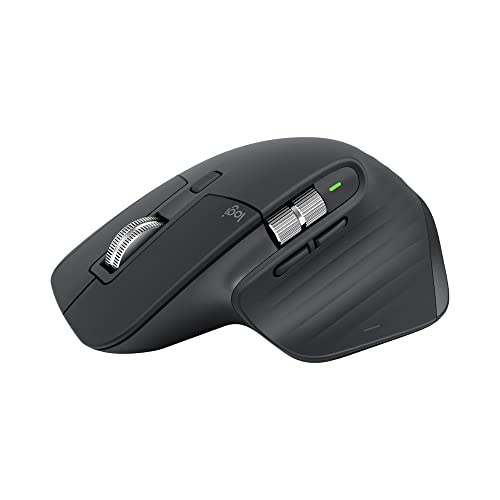
Customization options play a significant role in enhancing the overall user experience of a keyboard.
The Logitech G810 and the Cooler Master CK550 offer a range of customization features that cater to different preferences and playstyles.
The Logitech G810 comes with Logitech’s Gaming Software that allows users to customize RGB lighting, create macros, and adjust key assignments to suit their gaming needs.
With a wide range of preset lighting effects and the ability to synchronize lighting across Logitech devices, the G810 offers a cohesive and immersive RGB experience.
In contrast, the Cooler Master CK550 offers customizable RGB backlighting with per-key lighting control, enabling users to create unique lighting profiles tailored to their preferences.
The Cooler Master Portal software provides intuitive controls for customizing lighting effects, creating macros, and adjusting key settings, giving users the flexibility to personalize their gaming experience to their liking.
Whether you prefer the unified ecosystem of Logitech’s software or the granular control of Cooler Master’s Portal software, both keyboards offer ample customization options to elevate your gaming setup.
Benefits of Customization Options
Customization options not only enhance the aesthetics of a keyboard but also contribute to its functionality and usability.
By allowing users to personalize various aspects of their keyboard, such as lighting effects, key assignments, and macros, manufacturers empower gamers to optimize their setup for maximum performance and comfort.
Logitech G810 Software Features
The Logitech Gaming Software bundled with the G810 keyboard offers a user-friendly interface that makes customization a breeze.
The software’s RGB lighting customization tool provides users with a spectrum of colors to choose from and the ability to create dynamic lighting effects that can react to in-game actions.
Additionally, the macro creation feature allows gamers to assign complex commands to single keystrokes, giving them a competitive edge in gameplay.
Cooler Master CK550 Software Functionality
The Cooler Master Portal software complementing the CK550 keyboard grants users precise control over each key’s RGB backlighting.
Users can not only choose from a wide range of color options but also adjust brightness levels and lighting patterns for each individual key.
The software’s macro recording capabilities enable users to record intricate sequences of actions or commands, streamlining gameplay and enhancing efficiency.
User Preference and Flexibility
While the Logitech G810 offers a more streamlined and harmonized RGB experience across Logitech devices, the Cooler Master CK550 provides a level of customization granularity that appeals to users seeking more control over their lighting profiles and key settings.
Depending on personal preferences and desired level of customization, gamers can choose between the two keyboards to tailor their gaming experience to suit their individual style.
Value: Balancing Price and Performance
When it comes to value for money, the Logitech G810 and the Cooler Master CK550 offer competitive options that cater to different budget constraints.
The Logitech G810, with its premium build quality and advanced features, sits at a higher price point compared to the Cooler Master CK550, making it a more substantial investment for users looking for top-tier performance and design.
On the other hand, the Cooler Master CK550 provides excellent value with its robust construction and customizable features at a more budget-friendly price, making it an attractive option for gamers seeking performance without breaking the bank.
In conclusion, choosing between the Logitech G810 and the Cooler Master CK550 boils down to your priorities in terms of design aesthetics, performance requirements, customization preferences, and budget allocation.
Both keyboards offer distinct advantages and cater to different user preferences, so selecting the one that best aligns with your needs is crucial.
Whether you value sleek minimalism and premium features or robust practicality and value for money, the Logitech G810 and the Cooler Master CK550 represent top choices in the gaming keyboard market, each offering a unique set of features aimed at enhancing your gaming experience.
Additional Features and Customization Options
One key aspect to consider when evaluating the Logitech G810 and the Cooler Master CK550 is the range of additional features and customization options they offer.
The Logitech G810, known for its RGB lighting customization and dedicated media controls, provides users with a high degree of personalization to match their setup and style.
In contrast, the Cooler Master CK550 boasts a variety of mechanical switch options, allowing users to select switches that best suit their typing or gaming preferences.
These additional features and customization options can significantly impact the overall user experience, making it essential to consider which aspects align with your priorities.
Build Quality and Durability
Another crucial factor to weigh when choosing between the Logitech G810 and the Cooler Master CK550 is their build quality and durability.
The Logitech G810’s premium build materials and construction ensure a solid, long-lasting keyboard that can withstand rigorous use over time.
Conversely, the Cooler Master CK550’s sturdy design and durable keycaps offer reliability and durability, thus providing peace of mind to users who require a keyboard that can endure extensive gaming sessions without showing signs of wear and tear.
Understanding the importance of build quality and durability in a gaming keyboard is crucial for making an informed decision based on your usage patterns and longevity expectations.
Software Integration and Driver Support
Considering the software integration and driver support provided by Logitech and Cooler Master can also influence your choice between the two keyboards.
Logitech’s gaming software suite offers intuitive customization options and seamless integration with other Logitech peripherals, enhancing the overall user experience and ease of use.
On the other hand, Cooler Master provides driver support that allows users to fine-tune keyboard settings and macros for optimal performance in games or productivity tasks.
Evaluating the software ecosystem and support provided by each brand can help determine which keyboard aligns better with your workflow and customization requirements.
User Feedback and Reviews
Recommended to our readers: Click here
Lastly, gathering insights from user feedback and reviews can offer valuable perspectives on the real-world performance and reliability of the Logitech G810 and Cooler Master CK550.
By exploring online forums, review websites, and community discussions, you can gain a deeper understanding of the strengths and weaknesses of each keyboard based on firsthand user experiences.

Considering aspects such as key responsiveness, key rollover capabilities, software stability, and overall user satisfaction can provide additional layers of information to guide your decision-making process.
Leveraging user feedback and reviews can offer practical insights that complement technical specifications and feature comparisons, aiding you in selecting the gaming